 how-to
Local SEO Without a Website: A Step-by-Step Guide
Table of Contents
- Can You Do Local SEO Without a Website?
- Step 1: Claim and Verify Your Google Business Profile
- Step 2: Google Business Profile Optimization Tips for Maximum Visibility
- Step 3: Build NAP Consistency for Local Businesses
- Step 4: How to Get Google Reviews Without a Website
- Step 5: Local Citations for Small Business Growth
- Step 6: Local Keyword Research for Service Areas
- Step 7: Leverage Google Maps and Local Search Features
- Conversion Tracking Without a Website
- Common Mistakes to Avoid in Website-Free Local SEO
Last Updated: August 10, 2026
Can You Do Local SEO Without a Website?
Yes, you can absolutely do local SEO without a website. In fact, many small businesses in Ljubljana and across the United States are ranking prominently in local search results without maintaining a dedicated website at all. The key is understanding that Google doesn't require a website to recognize and promote your business, it requires a verified, optimized Google Business Profile and consistent business information across the web.
A local SEO without website strategy centers on claiming your digital footprint through Google's own tools and third-party directories. Your Google Business Profile becomes your primary digital storefront, handling customer inquiries, displaying reviews, and driving conversions directly from search results. This approach works particularly well for service-based businesses, local contractors, consultants, and any operation that serves a specific geographic area.
The reality is that most local searches happen on mobile devices, and users expect to find immediate information: your hours, location, phone number, reviews, and photos. A Google Business Profile delivers all of that instantly. When combined with local citations, review management, and proper keyword optimization, this foundation can generate consistent leads without the overhead of website maintenance.
Step 1: Claim and Verify Your Google Business Profile
Your Google Business Profile is the foundation of local SEO without a website. It's the single most important asset you'll own for local search visibility. Without claiming it, you're leaving your business information in Google's hands, and competitors can potentially claim it first.
How to Claim Your Profile
Start by going to Google Business Profile (google.com/business). Search for your business by name. If your business appears in the results, click "Manage this business." If it doesn't appear, select "Create a new business" and fill in your business name, service area, and contact information.
The process is straightforward: Google will ask for your business name, address (if you have one), phone number, business category, and service area. For service-based businesses without a physical location, you can list your service area instead of a street address. This is crucial for local SEO, it tells Google where you serve customers.
Once you've claimed your profile, you'll need to verify ownership. Google offers several verification methods, and the fastest is usually the phone call option.
Verification Methods
Google typically offers three verification methods: postcard, phone, or email. The phone verification is fastest, Google calls your business number and provides a verification code you enter immediately. This takes minutes rather than days.
If you choose the postcard method, Google mails a verification code to your business address. This takes 5-10 business days but works if you have a physical location. Email verification is sometimes available and is nearly instant.
Once verified, your profile is live and visible in Google Maps and local search results. This is the moment your local SEO strategy actually begins.
Step 2: Google Business Profile Optimization Tips for Maximum Visibility
A claimed profile is just the starting point. Optimization is what transforms your profile into a lead-generating machine. Most small business owners claim their profile and leave it incomplete, and that's where they lose ranking potential.
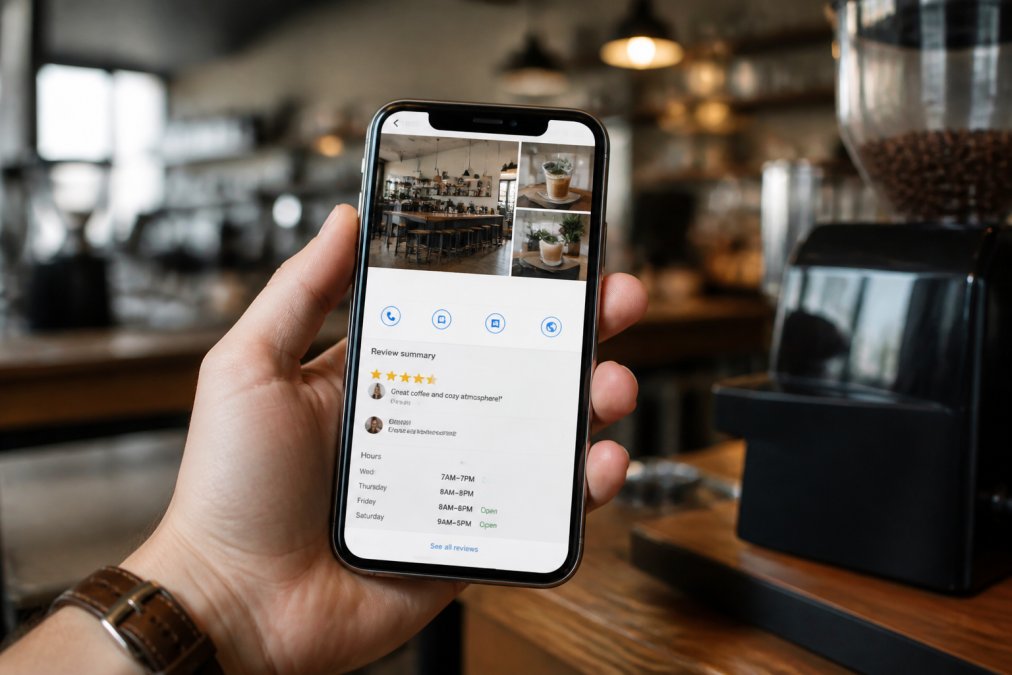
Complete Your Business Information
Every field in your Google Business Profile matters for local search ranking. Start with your business category. Choose the most specific category that matches what you do. If you're a plumber in Ljubljana, "Plumber" is better than "Home Repair Service." Google uses categories to understand what your business does and who should find you.
Your business description is your 750-character opportunity to explain what you do and why customers should choose you. Include your service area, key services, and differentiators. Don't just repeat your business name, use this space to answer the questions potential customers ask: "Do you serve my area?" "What services do you offer?" "Why should I call you?"
Add your phone number, website (if you have one), and hours. Hours are critical, incomplete or incorrect hours kill conversions. If your hours vary seasonally or by day, update them. If you're closed on Sundays, say so explicitly.
Upload at least 10 high-quality photos. These are your visual first impression. Include photos of your team, your workspace, your finished work (for contractors), and your products or services in action. Photos directly impact click-through rates from search results.
Use Google Business Profile Updates and Offers
Google Business Profile Updates and Offers are features most small businesses ignore, and that's a competitive advantage for those who use them. Updates are short posts (up to 300 characters) that appear on your profile. You can post about seasonal promotions, new services, or upcoming events.
Offers are special promotions that Google displays prominently. "20% off first-time customers" or "Free consultation" are common examples. These drive action directly from your profile without requiring customers to visit a website.
Post updates at least twice per month. Offers should rotate monthly. This activity signals to Google that your profile is active and current, which improves your ranking in the local pack and local search results.
Step 3: Build NAP Consistency for Local Businesses
NAP stands for Name, Address, Phone. It's one of the most underrated ranking factors in local SEO. When your business information is consistent across Google, directories, citations, and social platforms, Google gains confidence in your legitimacy. Inconsistencies confuse search algorithms and tank your ranking.
What NAP Means and Why It Matters
Your NAP is your business's digital identity. Every time your business appears online, whether on Google, Yelp, Apple Maps, your local chamber of commerce directory, or industry-specific directories, that listing should match exactly.
Exact match means: same spelling of your business name, same address format (no abbreviations like "St" vs "Street"), and the same phone number. A single variation, like listing your address as "123 Main Street" in one place and "123 Main St." in another, creates confusion. Google's algorithms see these as different businesses.
For service-based businesses without a physical address, NAP consistency is even more critical. Your business name and phone number become your primary identifiers. Make sure they're identical everywhere you appear online.
Auditing and Fixing NAP Errors
Start by searching for your business name plus your city. Look at the first 20 results. Write down every place your business appears and note the exact NAP information listed. You're looking for inconsistencies: different phone numbers, different address formats, missing information.
Common NAP errors include:
- Abbreviations that vary (St vs Street, Ave vs Avenue)
- Apartment or suite numbers omitted in some listings
- Phone number with or without parentheses or dashes
- Outdated addresses from previous locations
- Misspelled business names
Once you've identified errors, prioritize fixing them in high-authority directories first. Google My Business (your verified profile) should be perfect. Then Yelp, Apple Maps, and industry-specific directories relevant to your business. Local citations in directories like the Better Business Bureau, chamber of commerce listings, and local business directories follow after.
For each directory, you'll need to claim your listing (if you haven't already) and edit the information to match your master NAP. This is tedious work, but it directly improves your local search ranking.
Step 4: How to Get Google Reviews Without a Website
Customer reviews are a ranking factor and a conversion factor. Businesses with more reviews rank higher in local search, and potential customers trust reviews more than any marketing message you could write. Without a website, reviews become your primary form of social proof.
Creating a Review Generation Strategy
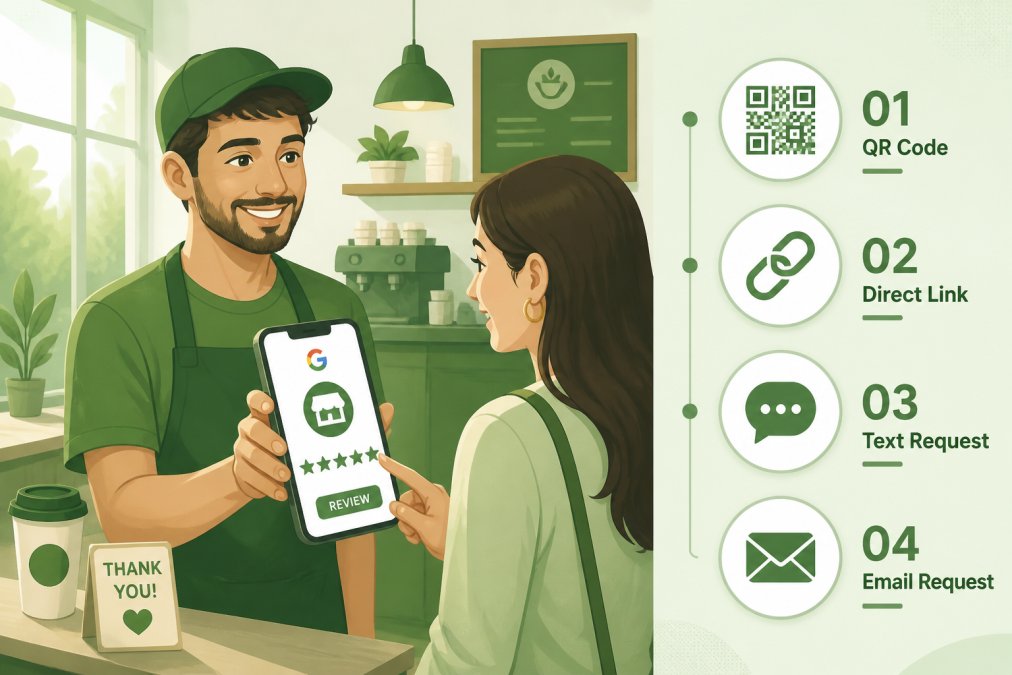
You don't need a website to ask for reviews. The simplest approach: ask customers directly. After completing a service or transaction, say something like, "I'd really appreciate if you could leave a quick review on Google. It helps us grow." Then show them how.
The easiest way to get reviews is through a direct Google review link. Go to your Google Business Profile, click the "Reviews" section, and look for the "Share" button. This generates a direct link to your review page. You can text this link to customers, email it, or print it on receipts and business cards.
For maximum impact, ask for reviews at the moment of satisfaction, right after you've delivered good service. The longer you wait, the less likely customers are to follow through. Make the ask immediate and the process frictionless.
Track which customers are most satisfied. Your best customers are most likely to leave reviews. Don't ask everyone, focus on customers who expressed genuine satisfaction.
Automated Review Management Workflows
If you're managing multiple customer interactions, manual review requests become inefficient. Many email and SMS platforms allow you to set up automated workflows that send review requests after a service is completed or a purchase is made.
For example, if you're a service business, you could set up an automation that sends a text message 24 hours after service completion: "Thanks for choosing us! Could you take 30 seconds to leave a review? [Google review link]." This removes the need to manually ask every customer.
Respond to every review, positive and negative. Responding to positive reviews shows that you value customer feedback. Responding to negative reviews demonstrates that you take concerns seriously and are willing to resolve issues. Google's algorithm considers response rate and response quality as ranking factors.
Step 5: Local Citations for Small Business Growth
A local citation is any mention of your business name, address, and phone number on the web. Citations build authority and improve your local search ranking. They also drive direct traffic and referrals. The more high-quality citations you have, the stronger your local SEO foundation.
High-Priority Directories for Local Ranking
Start with the most important directories. Google uses data from these directories to validate your business information and determine your local ranking.
The Big Three are Google Business Profile (which you've already claimed), Apple Maps, and Yelp. These are non-negotiable. If you're not on Yelp with accurate information, you're missing significant visibility.
After the Big Three, prioritize directories specific to your industry and location. For a plumber in Ljubljana, that might be the Better Business Bureau, local chamber of commerce directories, Home Advisor, Angie's List, or Thumbtack. For a consultant, LinkedIn and industry-specific directories matter more.
Don't try to list in every directory at once. Start with the top 10-15 that matter most to your industry. Quality citations from authoritative directories are more valuable than quantity across random sites.
Managing Citations Across Platforms
Once you've built citations, you need to maintain them. This means updating your information if you move, change your phone number, or expand your service area.
Create a simple spreadsheet listing every directory where you appear, your login credentials, and the NAP information you provided. When you need to make changes, you can systematically update each listing.
Some citation management tools automate this process, but for a small business, a spreadsheet and consistent effort works fine. The key is not letting your citations become stale. Outdated information hurts your ranking and confuses potential customers.
Step 6: Local Keyword Research for Service Areas
Local SEO without a website still requires keyword strategy. You need to understand what terms potential customers search for when looking for your services in your area.
Local keyword research is simpler than national SEO keyword research. You're not competing nationally, you're competing locally. Your keywords should always include your service area or nearby cities.
Start by thinking like a customer. If you're a plumber in Ljubljana, what would you search for? "Plumber near me," "Plumber in Ljubljana," "Emergency plumber Ljubljana," "Affordable plumber near me", these are your target keywords.
Use Google Search to validate these keywords. Search your target keyword and see what appears. If you see a local pack (the map section with three businesses), that's proof the keyword has local intent and is worth targeting.
Google Keyword Planner (free tool) shows search volume for keywords. "Plumber near me" gets significant monthly searches. "Plumber in Ljubljana" might get fewer searches, but they're more qualified, people searching with your city name are more likely to hire you.
Your Google Business Profile and citations should include these local keywords naturally. Your business description, category, and service area should align with the keywords customers actually search for. This alignment improves your ranking for local queries.
Step 7: use Google Maps and Local Search Features
Google Maps is where most local searches end. When someone searches "plumber near me," they're looking at a map with three businesses, not a list of websites. Your goal is to appear on that map, ideally in the top three.
Your Google Business Profile directly controls your appearance on Google Maps. The more complete and optimized your profile, the higher you rank on the map. Maps ranking is based on relevance (how well your business matches the search query), proximity (how close you are to the searcher), and prominence (your review count, rating, and citation authority).
Google Maps also shows your hours, phone number, photos, and customer reviews directly on the map preview. Users can call you, get directions, or read reviews without leaving Google Maps. This makes Google Maps the most valuable real estate for local SEO.
Posts and offers on your Google Business Profile also appear in Maps results. A recent post or active offer can push your profile higher in the local pack. This is why consistent profile activity matters, it signals that you're an active, current business.
Conversion Tracking Without a Website
Without a website, conversion tracking becomes different but still measurable. You're not tracking form submissions or page views, you're tracking phone calls, messages, and direction requests.
Google Business Profile provides basic analytics: how many people viewed your profile, how many clicked to call you, how many requested directions, and how many clicked to visit your website (if you have one). These metrics show which searches are converting into customer actions.
Enable call tracking by monitoring your phone calls. Many small business owners use a separate business phone line specifically to track which calls come from Google searches. This gives you concrete data on how many customers Google is sending you.
Track direction requests and map views. If 100 people viewed your profile and 20 clicked for directions, that's a 20% conversion rate. If that number is low, it signals that your profile information, photos, or reviews need improvement.
Message requests through Google Business Profile are also trackable. If customers are messaging you through your profile, that's a conversion, they're interested enough to initiate contact.
Set up a simple spreadsheet to track weekly calls, messages, and direction requests. Over time, you'll see how your optimization efforts are paying off. As you improve your profile and gather more reviews, these numbers should increase.
Common Mistakes to Avoid in Website-Free Local SEO
The most common mistake is claiming your profile and then ignoring it. A stagnant profile ranks lower than an active one. Update your profile monthly with new photos, posts, or offers. This ongoing activity signals to Google that you're a current, active business.
Another mistake is inconsistent NAP information. Many small business owners claim their profile but don't audit their other directory listings. They end up with conflicting information across the web, which confuses Google's algorithms and hurts their ranking.
Ignoring reviews is a major mistake. If you're not actively asking for reviews and responding to them, you're missing the biggest ranking factor in local SEO. Businesses with more reviews and higher ratings rank significantly higher than those without.
Not targeting local keywords is another common error. Using generic keywords like "consulting services" instead of "management consulting in Ljubljana" wastes your optimization efforts. Local keywords have clearer intent and face less competition.
Finally, many businesses list incomplete information on their profile. Missing hours, no photos, no description, or outdated contact information all hurt your ranking and conversion rate. Treat your profile as your primary sales tool, make it complete and professional.
Local SEO without a website is not just possible, it's often more efficient than maintaining a full website. Your Google Business Profile, combined with consistent NAP information and active review management, creates a powerful lead-generation system. The challenge most small businesses face is consistency and follow-through. At GrandRanker, we help teams automate this process, ensuring your local SEO stays optimized while you focus on serving customers. Start with your Google Business Profile, nail your NAP consistency, and build your review foundation. These fundamentals will drive measurable results in your local search ranking and customer acquisition. Get started with GrandRanker's free trial and see how automated local SEO optimization can accelerate your growth.
Frequently Asked Questions
Can you do local SEO without a website?
Yes. A Google Business Profile serves as your primary local search presence, allowing you to rank on Google Maps and local pack results without a website. You can gather customer reviews, list business hours, display photos, and drive phone calls or directions directly from your profile. However, you'll have limited conversion tracking and no way to capture leads through forms or landing pages without some digital presence.
How do I rank on Google Maps without a website?
Rank on Google Maps by claiming and verifying your Google Business Profile, completing all business information (NAP consistency is critical), gathering customer reviews, building citations in local directories, and using Google Business Profile features like Posts and Offers. Local search ranking factors include proximity, relevance, and prominence, your profile optimization directly impacts all three.
How do I get reviews for my business without a website?
Request reviews directly through your Google Business Profile review link, which you can share via text, email, or QR code. Ask satisfied customers in person or after transactions. Implement automated review management workflows using tools that send review requests via SMS or email. Respond promptly to all reviews to boost your profile's prominence and build customer trust.
What is NAP consistency and why does it matter for local SEO?
NAP stands for Name, Address, Phone number. Consistency means your business information is identical across Google Business Profile, local directories, citations, and social media. Search engines use NAP to verify your business legitimacy and ranking authority. Inconsistent NAP signals confusion to algorithms and reduces your local search visibility and lead generation potential.
This article was written using GrandRanker