 blog
blog
Is Automated SEO Software Good for Beginners? 2026 Guide
Table of Contents
- Is Automated SEO Software Good for Beginners? The Honest Answer
- What Is SEO Automation? Key Concepts for Beginners
- Benefits of Using Automated Tools for Beginners
- Manual vs. Automated SEO: What Should You Automate?
- Best Automated SEO Tools for Beginners: Feature Comparison
- Pros and Cons of Automated SEO Software for Your Workflow
- How to Choose Automated SEO Software: A Risk-First Framework
- Building a Budget-Friendly Automation Stack for Beginners
- The Human-in-the-Loop Approach: Staying in Control
- Real Results: What Automated SEO Software Actually Delivers
Is Automated SEO Software Good for Beginners? 2026 Guide
Last Updated: August 1, 2026
Is Automated SEO Software Good for Beginners? The Honest Answer
Teams using automated SEO tools report 40% faster time-to-first-ranking compared to manual approaches. The answer is nuanced: automation works brilliantly when you understand what to automate and what requires human judgment. The risk isn't automation itself; it's blindly trusting it without oversight.
Most beginners approach SEO automation backwards, they enable every feature and hope for results. Instead, they optimize for wrong metrics, create thin content that doesn't rank, or trigger Google penalties. Below, we'll show you how to accelerate growth while keeping your site safe, and which tasks genuinely benefit from automation.
What Automation Actually Does (And Doesn't)
Automated SEO software excels at finding opportunities at scale, executing repetitive tasks consistently, and generating data-driven recommendations. What it cannot do is understand your brand voice, assess whether a ranking opportunity matters, or know if content will resonate with your audience.
The best tools combine workflow automation with human-in-the-loop checkpoints: the system identifies opportunities and creates drafts, but you review and approve before anything goes live. Tools that skip this step often create content that ranks for wrong keywords or reads like it was written by a robot.
Why Beginners Often Get Automation Wrong
Three patterns emerge repeatedly:
Pattern 1: Automating without strategy. They enable rank tracking and content suggestions but haven't defined success. Automation generates 50 keyword ideas, but which ones matter for your business? The tool can't answer that.
Pattern 2: Trusting AI-generated content without review. Some platforms promise "content on autopilot." Many beginners publish it unreviewed, resulting in thin, repetitive articles that Google deprioritizes.
Pattern 3: Ignoring technical foundations. Automated tools can't fix broken site structure, poor mobile experience, or slow page speed. If you ignore foundational issues, automation won't move the needle.
What Is SEO Automation? Key Concepts for Beginners
SEO automation uses software to handle repetitive, data-driven tasks without manual intervention: keyword research, site crawling, rank tracking, and content optimization. The goal is reducing routine work so you focus on strategy and high-impact decisions.
Not all automation is equal. Some tools automate opportunity discovery. Others automate task execution. The best do both with clear checkpoints where you review work before it affects your site.
Workflow Automation vs. AI-Powered Optimization
Workflow automation handles structured, repeatable tasks: submitting sitemaps, checking broken links, tracking keyword positions, generating reports. These follow predictable rules with low risk.
AI-powered optimization analyzes content and suggests improvements to keyword density, readability, and topic coverage. It can generate articles, optimize meta titles, or recommend internal linking. This is more powerful but riskier without review.
For beginners, start with workflow automation, tools handling technical SEO, rank tracking, and reporting. Layer in AI-powered optimization with strict review gates once you understand how SEO works.
Common Pitfalls of Over-Automation
Keyword stuffing and unnatural content. The tool optimizes for keyword density without considering readability. Your article ranks but nobody reads past the first paragraph.
Thin, generic content. Automation produces surface-level articles that don't outrank deeper competitors. Google rewards depth and expertise, things automation struggles with.
Technical issues from bulk changes. Automating meta tag rewrites or URL changes at scale can create 404 errors and broken links if not carefully managed.
Missing audience context. A tool might identify "best CRM for nonprofits" as high-volume, but if your product targets e-commerce, that keyword is worthless. Automation finds opportunities; you determine which matter.
Benefits of Using Automated Tools for Beginners
Automated SEO tools offer real advantages when used correctly.
Time Savings and Scalability
A manual SEO audit of a 500-page website takes 40-60 hours. An automated crawler finishes in 30 minutes. Rank tracking 100 keywords manually takes 3-4 hours weekly. Automated rank tracking updates instantly.
For beginners with limited time, this matters enormously. You can audit your entire site and prioritize fixes in one afternoon instead of weeks. That freed-up time goes toward strategy and content creation, activities requiring your expertise.
Scalability is the second benefit. Once you set up keyword tracking or site audits, they run continuously. You get weekly reports showing what changed, what broke, and what opportunities emerged.
Data-Driven Insights Without the Learning Curve
Analyzing backlink profiles and competitor strategies typically requires deep SEO knowledge. Automated tools surface insights in digestible formats: "Your competitors rank for these 200 keywords you don't. Here are the easiest ones to target."
This democratizes SEO expertise. A beginner using a good tool gets insights normally requiring a specialist.
Consistency in Technical SEO and Reporting
Technical SEO is repetitive: checking for duplicate content, ensuring proper canonicalization, verifying schema markup. Automation ensures these checks happen on schedule without human error.
Automated reporting generates dashboards updating daily, showing stakeholders exactly what's happening with organic traffic, keyword rankings, and site health.
Manual vs. Automated SEO: What Should You Automate?
Not every SEO task benefits from automation. The most effective strategy combines both.
Tasks That Benefit Most from Automation
Keyword research and opportunity identification. Tools analyze search volume, keyword difficulty, and competitor coverage across thousands of keywords in minutes. You review results and decide which to target.
Technical site audits. Automated crawling catches broken links, duplicate content, missing meta tags, and crawl errors that humans miss.
Rank tracking. Checking keyword positions across search engines and tracking changes is pure automation. Set it once, review reports weekly.
Competitor analysis. Monitoring competitor keywords, backlinks, and traffic changes is time-intensive manually. Automated tools track this continuously.
Site health monitoring. Checking for SSL issues, server downtime, indexing problems, and crawl errors should happen daily. Automation alerts you immediately.
Reporting and data aggregation. Pulling data from Google Search Console, Google Analytics, and rank tracking tools into one dashboard is perfect for automation.
Where Human Judgment Still Wins
Content strategy and topic selection. A tool identifies "how to start a side hustle" gets 50K monthly searches. Only you know if that aligns with your business and audience.
Content creation and optimization. AI drafts content quickly but often lacks nuance and authority. Review AI-generated content before publishing.
Link building strategy. Tools identify opportunities. Deciding which sites are worth outreach and building relationships requires human effort.
Interpreting data and making decisions. Automation surfaces insights. Deciding what to do with them requires business judgment.
Understanding search intent. Understanding what searchers actually want requires analyzing search results and user behavior.
Best Automated SEO Tools for Beginners: Feature Comparison
Choosing the right tool depends on your platform, budget, and needs.
WordPress-First Solutions: Yoast SEO and Rank Math
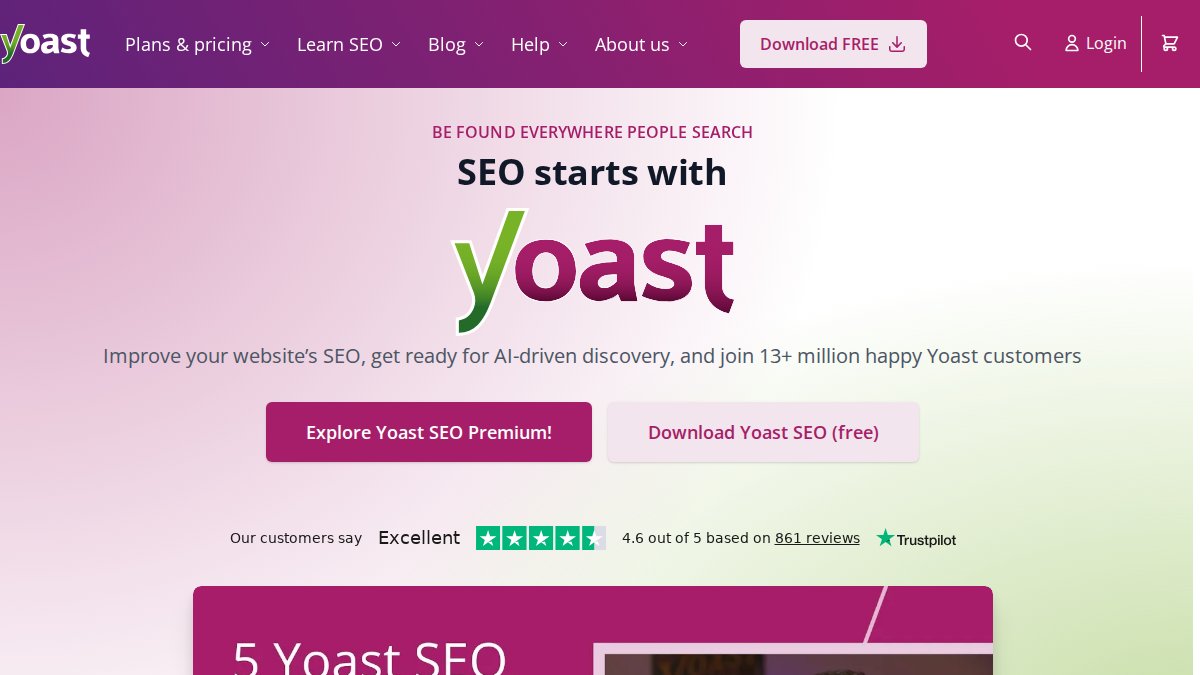
Yoast SEO integrates directly into WordPress editing. The free version covers essentials: on-page optimization analysis, XML sitemap generation, meta tag management, and readability checking. As you write, Yoast shows whether your content is optimized for your target keyword.
Its strength is simplicity. Its weakness is that it's primarily on-page focused, no keyword research, rank tracking, or competitive analysis.
Pricing starts at $118.80 per year for the premium version.
Rank Math is a more feature-rich WordPress alternative. The free version rivals Yoast's premium tier, offering multiple keyword optimization per page, advanced schema markup, 404 monitoring, and Google Search Console integration. The interface is more complex but provides substantially more functionality.
Pricing starts at approximately $95.88 per year for the Pro plan.
All-in-One Platforms: Ubersuggest and Moz Pro
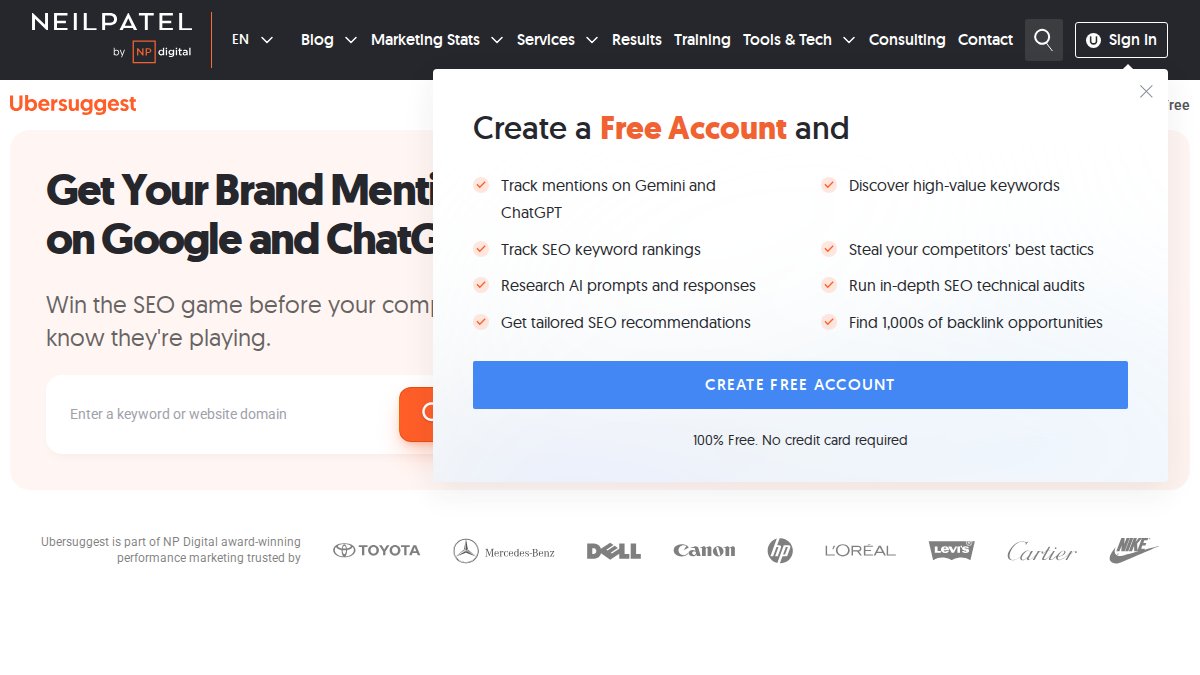
Ubersuggest is designed for beginners. The interface is clean and approachable. Keyword research shows search volume, difficulty, and content ideas. Site audit identifies technical issues. Rank tracking monitors keywords daily.
Its weakness is smaller keyword and backlink databases, so data accuracy can lag. For small sites and beginners, this rarely matters.
Pricing starts at $12 per month, with a free tier offering limited daily searches.
Moz Pro is the established choice for marketers wanting beginner-friendly tools without sacrificing depth. Keyword Explorer shows keyword difficulty and priority scores. Link Explorer analyzes backlinks. Site Crawl audits technical SEO. Rank Tracker monitors keyword positions.
Moz's strength is the Domain Authority (DA) metric, an industry standard for evaluating site authority.
Pricing starts at $49 per month, with a 30-day free trial.
AI-Powered Automation: GrandRanker's Approach
GrandRanker automates the entire workflow instead of providing tools to manage SEO manually. The platform handles keyword research, content creation, optimization, and publishing with human review gates at critical points.
What makes GrandRanker distinct is human-in-the-loop design. The AI identifies opportunities and generates content, but you review and approve before anything publishes. This prevents the "thin AI content" problem plaguing fully automated systems.
For beginners, GrandRanker removes the complexity of juggling multiple tools. Everything happens in one workflow. You focus on reviewing and approving content; the AI handles repetitive work.
GrandRanker offers a free trial.
Free Tools to Start With: Google Search Console
Google Search Console is the foundation of any SEO strategy. It's free and provides data directly from Google about how your site appears in search results.
The tool shows which keywords bring traffic, how often your pages appear in results, your average ranking position, and click-through rate. It alerts you to indexing issues, mobile usability problems, and security concerns.
For beginners, Search Console is essential. You can't optimize what you don't measure.
| Tool | Starting Price | Best For | Key Strength |
|---|---|---|---|
| Yoast SEO | $118.80/year | WordPress sites | Simplicity and on-page optimization |
| Rank Math | $95.88/year | WordPress with advanced features | Feature-rich free version |
| Ubersuggest | $12/month | Beginners on tight budgets | User-friendly interface |
| Moz Pro | $49/month | Established authority metric | Industry-standard DA score |
| GrandRanker | Free trial available | Full workflow automation | End-to-end content automation |
| Google Search Console | Free | All websites | Direct Google data |
Pros and Cons of Automated SEO Software for Your Workflow
Every tool has trade-offs.
Key Advantages Beginners Should Know
Speed of execution. What takes 20 hours manually takes minutes with automation. This compounds over time.
Consistency without burnout. Rank tracking, site monitoring, and reporting happen on schedule without you remembering to do it.
Access to data-driven insights. Competitive analysis and content gap analysis require expertise manually. Automated tools surface these insights beginners can understand and act on.
Scalability for growing sites. Managing 50 keywords manually is possible. Managing 500 is not. Automation lets your SEO efforts scale without proportional time increases.
Lower barrier to entry. For beginners with limited budgets, this is the only way to access professional-level insights.
Real Risks: When Automation Backfires
Over-optimization and algorithm penalties. Aggressive automation can trigger Google penalties for keyword stuffing or thin content. Recovery takes months.
Loss of brand voice and authority. AI-generated content lacks nuance, expertise, and personality that builds authority. Readers sense the difference.
False positives in site audits. Automated crawlers sometimes flag non-issues, wasting your time fixing non-problems.
Outdated data. Even the best tools have lag. Keyword data might be 2-4 weeks old. For competitive keywords, this matters.
Dependency on tool accuracy. If a tool's keyword database is inaccurate, your strategy suffers.
Automation without understanding. A tool tells you to add 200 internal links. If you don't understand why, you might implement it incorrectly and hurt your site.
How to Choose Automated SEO Software: A Risk-First Framework
This framework helps you evaluate options based on your situation.
Step 1: Assess Your Risk Tolerance
Are you comfortable with automated content publishing, or do you need to review everything first? Can you handle bulk changes, or do you prefer incremental adjustments?
Low-risk tools: Google Search Console, Yoast SEO, Rank Math. These surface information and recommendations without making changes.
Higher-risk tools: Fully automated content platforms that publish without review.
For beginners, start with low-risk tools. Graduate to higher-risk automation only after seeing what works in your niche.
Step 2: Evaluate the Human-in-the-Loop Capability
Does the tool require review before going live? Can you set approval gates for specific changes?
The best tools for beginners include clear review steps. You see what the AI generated, make edits, and approve before publishing.
Step 3: Match Tool Complexity to Your Skill Level
A tool with 50 features is worthless if you understand only 5. Ubersuggest and Moz Pro are beginner-friendly. Semrush and Ahrefs have steeper learning curves.
Start with intuitive tools. You can upgrade later as your skills grow.
Step 4: Test with a Free Trial or Free Plan
Most tools offer free trials or plans. Spend a week with each. Can you navigate it easily? Do recommendations make sense? Does the interface feel intuitive?
Choose based on features you'll actually use in the first 30 days.
Building a Budget-Friendly Automation Stack for Beginners
You don't need to spend $500 monthly. A lean stack covers essentials for under $100 monthly.
Free Foundation Layer
- Google Search Console (free): Monitor search appearance, identify indexing issues, see which keywords drive traffic
- Google Analytics (free): Understand traffic sources and visitor behavior
- WordPress with Yoast SEO free or Rank Math free (free): On-page optimization and technical SEO
- Google Keyword Planner (free): Basic keyword research
This stack covers keyword research, site audits, rank tracking, and reporting. It's sufficient for many beginners.
Affordable Mid-Tier Additions
When free tools hit their limits, add one paid tool:
- Ubersuggest ($12/month): Comprehensive keyword research, site audit, rank tracking, and competitor analysis
- Rank Math Pro ($95.88/year): If on WordPress, adds advanced features and content AI credits
Pick one based on your platform.
When to Invest in Premium Automation
Premium tools like Moz Pro ($49/month), Semrush ($140+/month), or GrandRanker make sense when:
- You're managing 100+ keywords
- You need daily rank tracking across multiple search engines
- You want AI-powered content creation with human review gates
- You need white-label reporting for clients
Most beginners don't need premium tools.
The Human-in-the-Loop Approach: Staying in Control
The safest way to use automated SEO software is building review gates into your workflow. Automation identifies opportunities and creates drafts, but you approve everything before it affects your site.
Why Automation Alone Fails
Fully automated systems work for routine tasks like rank tracking. They fail for anything involving judgment: content creation, link building strategy, keyword selection.
A tool might identify "best CRM for nonprofits" as high-opportunity. But if your product targets enterprise sales teams, that keyword is worthless. Only you know your business well enough to make that call.

Building Review Gates Into Your Workflow
- Tool identifies opportunity (automated): Keyword research finds high-volume, low-difficulty keyword
- You review and approve (human): Is this relevant? Worth the effort?
- Tool generates draft (automated): AI creates outline and first draft
- You edit and refine (human): Adjust tone, add expertise, ensure accuracy
- Tool optimizes (automated): Final on-page optimization and internal linking
- You approve and publish (human): Final review before going live
This workflow takes longer than full automation but prevents disasters.
Real Results: What Automated SEO Software Actually Delivers
Understanding realistic timelines helps you evaluate whether a tool is working.
Realistic Timelines for Organic Traffic Growth
From zero to first organic visitor: 2-8 weeks. Google needs time to crawl and index your site.
From first visitor to meaningful traffic (100+ monthly visitors): 3-6 months. This assumes consistent, optimized content targeting realistic keywords.
From meaningful traffic to sustainable business impact: 6-12 months. You're ranking for dozens of keywords and seeing conversions.
These timelines assume targeting realistic keyword difficulty and publishing consistently.
Measuring ROI Beyond Vanity Metrics
Organic traffic numbers are vanity metrics. What matters is whether traffic converts.
Track these instead:
- Cost per acquisition from organic: How much does each customer from Google cost?
- Lifetime value of organic customers: Do organic visitors spend more or stay longer?
- Ranking improvements: Are you moving up for keywords that matter?
- Search visibility: What percentage of relevant searches show your site in the top 10?
A tool doubling traffic with low-quality visitors is worse than one bringing half the traffic from qualified searchers.
Conclusion
Automated SEO software is genuinely good for beginners when used correctly. Tools combining automation with human judgment give you machine speed and human expertise.
Start with free tools to understand how SEO works. Add one affordable paid tool when free options hit their limits. Build review gates into your workflow so automation speeds up work without removing control. The goal isn't automating SEO completely, it's automating repetitive parts so you focus on strategy and content.
GrandRanker automates the entire SEO workflow with human-in-the-loop approval gates, so you get consistent, optimized content without losing control. Start with a free trial to see how automation can accelerate your organic traffic growth while keeping your site safe.
Frequently Asked Questions
Is automated SEO software good for beginners with no technical background?
Yes, if you choose tools with a user-friendly interface and strong guidance. Platforms like Ubersuggest and Moz Pro are designed for beginners. However, automated SEO software works best when paired with human oversight, don't set it and forget it. Start with a free plan or trial to test the learning curve before committing to paid tiers. The key is understanding what the tool does, not becoming an SEO expert.
What tasks should beginners automate versus handle manually in SEO?
Automate routine, data-heavy tasks: site auditing, rank tracking, technical SEO crawling, and reporting dashboards. Keep manual control over keyword strategy selection, content creation, and link-building outreach. Automated tools excel at finding issues and gathering data; humans excel at strategy and judgment. This human-in-the-loop approach reduces risk while capturing efficiency gains. Never automate decisions, only data collection and execution of pre-approved strategies.
Can AI-generated content from automated SEO tools actually rank on Google?
Yes, but with caveats. Google doesn't penalize AI content inherently; it penalizes thin, low-quality, or irrelevant content regardless of origin. Automated tools that generate content must still follow E-E-A-T principles: expertise, experience, authoritativeness, and trustworthiness. AI-powered platforms like GrandRanker optimize generated content for search intent and on-page signals, but the content should be reviewed and edited by a human before publishing. Quality control is non-negotiable.
How much does automated SEO software cost, and is it worth it for bootstrapped startups?
Pricing varies widely. Free tools like Google Search Console and Yoast SEO's free version cost nothing. Mid-tier tools range from $29-$99/month. Premium platforms exceed $100/month. For bootstrapped startups, start with free tiers and add paid tools only when free limits become a bottleneck. Many platforms offer free trials, use them to validate ROI before spending. The real cost is time saved, not just the subscription; calculate your hourly rate to determine true value.
This article was written using GrandRanker