 ultimate-guide
How to Measure SaaS SEO ROI: A Step-by-Step Guide
Table of Contents
- What SaaS SEO ROI Actually Means (And Why Most Teams Get It Wrong)
- The SEO ROI Formula for SaaS Companies
- Essential SaaS SEO KPIs You Must Track
- Choosing the Right SaaS SEO Attribution Model
- How to Track Organic Leads in SaaS: A CRM Implementation Guide
- Step-by-Step: How to Measure SaaS SEO ROI End-to-End
- SEO ROI vs. Paid Ads ROI: The SaaS Compounding Advantage
- What to Do When SaaS SEO ROI Goes Negative
- How AI-Generated Search Results Are Changing SaaS SEO ROI
- Your SaaS SEO Reporting Template: What to Include Each Month
Last Updated: June 3, 2026
Most SaaS founders treat SEO as a cost center until someone in finance asks for the ROI numbers. Knowing how to measure SaaS SEO ROI is the difference between defending your organic channel budget and losing it to paid ads. This guide from GrandRanker walks you through every layer of the measurement process, from the core formula to CRM implementation to what happens when the numbers go negative. Below, we'll show you exactly how to connect organic traffic to MRR, attribute revenue across a long SaaS sales cycle, and build a reporting template your CFO will actually read.
But first, here's what most guides get wrong: they treat SaaS SEO ROI like e-commerce ROI. It isn't. A visitor who reads your pricing page, leaves, comes back three weeks later via a branded search, and then converts through a sales demo is not a "direct organic conversion." The attribution complexity is the whole problem, and most guides skip it entirely.
What SaaS SEO ROI Actually Means (And Why Most Teams Get It Wrong)
SaaS SEO ROI is the net revenue generated from organic search investment, expressed as a ratio of return to cost, accounting for the full customer lifetime value rather than a single transaction value. This definition matters because SaaS revenue is recurring, which means a single organic conversion compounds over months or years of MRR.
Most teams measure organic traffic and call it SEO ROI. Traffic is not revenue. A page ranking for a high-volume informational keyword might drive thousands of sessions and zero MQLs. The teams that get this wrong are optimizing for vanity metrics while their CAC from organic stays invisible.
The real measurement framework has three components:
- Revenue attribution: Which organic touchpoints contributed to closed deals?
- Cost accounting: What did you spend on content, links, technical SEO, and tooling?
- Time horizon: Are you measuring over 3 months or 18 months? SaaS SEO compounds, so the window changes the number dramatically.
A common mistake is calculating SEO ROI at the campaign level rather than the cohort level. Organic leads acquired in Q1 may not close until Q3. If you measure ROI monthly without cohort tracking, you'll consistently undervalue the channel.
The SEO ROI Formula for SaaS Companies
The SEO ROI formula for SaaS companies is: SEO ROI = (Revenue Attributed to Organic - SEO Investment) / SEO Investment × 100.
The challenge is in defining "revenue attributed to organic" accurately. For SaaS, this should be calculated as the sum of MRR from organic-sourced customers multiplied by their average contract length, not a one-time transaction value.
A practical version of the formula:
SEO ROI = ((Organic MQLs × SQL Rate × Win Rate × ACV) - Total SEO Spend) / Total SEO Spend × 100 Where:
- Organic MQLs = marketing qualified leads from organic search
- SQL Rate = percentage of MQLs that become sales qualified leads
- Win Rate = percentage of SQLs that close
- ACV = average contract value (or ARR per customer)
- Total SEO Spend = content creation + link building + tooling + internal team time
Calculating Your Break-Even Point
Your SEO break-even point is the moment cumulative revenue from organic customers equals total SEO investment to date. For most SaaS companies, this falls somewhere between month 9 and month 18, depending on content volume, domain authority, and sales cycle length.
To calculate it: divide your total monthly SEO spend by (organic win rate × ACV × monthly organic MQL volume). The result is the number of months before SEO becomes profitable. This number is why short-term ROI calculations almost always make SEO look bad. The compounding growth of organic rankings means month 18 revenue from a piece of content published in month 1 was essentially free to acquire.
Factoring In CLV and MRR for Accurate Revenue Attribution
Customer lifetime value is the most important variable in SaaS SEO ROI calculations. A customer with a CLV of $12,000 acquired through organic search at a CAC of $400 represents a fundamentally different ROI than the same customer acquired through paid ads at a CAC of $2,800.
To factor CLV into your attribution: multiply average MRR per customer by average customer lifespan in months. Then compare this figure against the blended CAC for organic vs. paid channels. Many SaaS teams find that organic CAC runs significantly lower than paid CAC once content costs are amortized over a 12-month content lifespan.
According to Google's guidance on measuring organic search value, Search Console data combined with CRM revenue tracking provides the most reliable foundation for organic attribution.
Essential SaaS SEO KPIs You Must Track
The right SaaS SEO KPIs are the ones connected to revenue, not rankings. Rankings are a leading indicator. Revenue is the lagging indicator. You need both, but most teams track only the former.
Top-of-Funnel vs. Bottom-of-Funnel KPIs
Top-of-funnel KPIs measure organic visibility and early-stage engagement. Bottom-of-funnel KPIs measure whether that visibility converts to pipeline.
Top-of-funnel SaaS SEO KPIs:
- Organic sessions by landing page category (blog, product, comparison)
- Keyword ranking distribution (positions 1-3, 4-10, 11-20)
- Organic click-through rate by page type
- Branded vs. non-branded organic traffic split
- Pages generating organic impressions but zero clicks (opportunity list)
Bottom-of-funnel SaaS SEO KPIs:
- Organic MQL volume month-over-month
- MQL-to-SQL conversion rate for organic vs. other channels
- Organic-influenced pipeline (multi-touch, not last-click)
- Organic CAC vs. paid CAC comparison
- Time-to-close for organic-sourced leads vs. paid leads
The distinction matters because top-of-funnel KPIs tell you if your SEO is working technically. Bottom-of-funnel KPIs tell you if it's working commercially. A healthy SaaS SEO program shows both improving in parallel, with a 3-6 month lag between top-of-funnel gains and bottom-of-funnel results.
Choosing the Right SaaS SEO Attribution Model
The attribution model you choose will determine whether your SEO looks like a hero or a waste of budget. This is not an exaggeration. The same organic traffic data can show wildly different ROI depending on which attribution model you apply.
Multi-Touch Attribution: The SaaS Standard
Multi-touch attribution distributes revenue credit across all touchpoints in a buyer's journey, which makes it the most accurate model for SaaS companies with long, complex sales cycles. A prospect who reads a comparison blog post (organic), downloads a whitepaper (organic), attends a webinar (email), and then converts via a demo request (direct) should credit organic for at least two of those touchpoints.
The most common multi-touch models used in SaaS:
| Model | How Credit Is Distributed | Best For |
|---|---|---|
| Linear | Equal credit to all touchpoints | Long, complex sales cycles |
| Time Decay | More credit to recent touchpoints | Short sales cycles (<30 days) |
| U-Shaped (Position-Based) | 40% first touch, 40% last touch, 20% middle | Lead generation focus |
| W-Shaped | 30% first, 30% lead creation, 30% opportunity, 10% rest | Full-funnel SaaS |
| Data-Driven | Algorithmic credit based on conversion patterns | High-volume, mature programs |
For most SaaS companies in the growth stage, W-shaped or linear attribution provides the most honest picture of organic's contribution without requiring the data volume that algorithmic models need.
Accounting for Dark Social and Assisted Conversions: A Technical Implementation Guide
Dark social is the share of traffic and conversions that arrive through channels your analytics stack cannot track by default: direct URL entry typed or pasted from a private message, Slack community shares, WhatsApp threads, email forwards, and PDF downloads that contain links. In B2B SaaS, dark social is not a rounding error, it is a structural feature of how buyers research software. A prospect who reads your comparison article, pastes the URL into a Slack channel, and three colleagues sign up for a trial will show all three signups as "direct" traffic in GA4. Your SEO ROI calculation just lost credit for three conversions.
The problem compounds because SaaS buyers rarely convert on a single session. Industry practitioners consistently observe that enterprise SaaS deals involve multiple stakeholders, each doing independent research. The champion who found your content through organic search may share it internally through channels that are entirely invisible to your analytics.
Here is a technical implementation guide for quantifying and partially recovering dark social attribution, an approach most SEO ROI guides skip entirely.
Step 1: Implement a first-touch cookie alongside your standard analytics.
GA4 defaults to session-scoped attribution, which means it captures the source of the current session, not the original session. To capture first-touch organic data, you need a custom first-party cookie set on the visitor's first session and persisted for the duration of your average sales cycle (90-180 days for most SaaS).
Implementation via Google Tag Manager:
- Create a GTM variable that reads a custom cookie named
first_touch_source - Create a GTM trigger that fires on all pages when the cookie does not yet exist
- Create a GTM tag that writes the current
{{Page Hostname}}+document.referrer+utm_sourceto the cookie with a 180-day expiry - Pass this cookie value as a hidden field on every lead capture form
This gives your CRM a first_touch_source field on every contact record that reflects the true originating channel, not the last session before conversion.
Step 2: Add a self-reported attribution question at onboarding.
The most underused dark social measurement tool is a single plain-text field on your trial signup or onboarding flow: "How did you first hear about us?" Do not use a dropdown, dropdowns suppress honest answers by forcing choices. A free-text field captures responses like "a colleague sent me your blog post" or "saw it mentioned in a Slack group for SaaS founders," which are direct evidence of dark social referrals.
Once you have 60-90 days of responses, compare them against your attributed source data in the CRM. The gap between self-reported organic/content discovery and CRM-attributed organic sessions is your dark social volume estimate. Most SaaS teams find this gap is meaningful, particularly for content that circulates in professional communities.
Step 3: Track branded search lift as a dark social proxy.
When a piece of content gets shared widely in private channels, branded search queries tend to increase within 2-4 weeks. This is because readers who encounter your brand through dark social channels often return to Google and search your brand name directly before converting. The branded search spike is a measurable proxy for untracked content exposure.
In Google Search Console, filter the Performance report by queries containing your brand name. Set a weekly tracking cadence. When you publish or promote a major content piece, annotate the date in your Search Console data and watch for correlated branded query volume increases in the following 2-4 weeks. A consistent pattern of content publication followed by branded search lift is evidence that your organic content is driving awareness through channels your analytics cannot see.
Step 4: Build a "content-influenced deals" report in your CRM.
Regardless of which session gets attribution credit, tag every CRM contact who visited any organic landing page at any point in their recorded journey, even if their conversion was attributed to direct or paid. In HubSpot, this is a contact property called something like organic_content_touched set to true via a workflow triggered when a contact's page view history includes a URL matching your blog or resource subdirectory. In Salesforce, this is a custom field on the Lead or Contact object populated by a Process Builder or Flow rule.
Run a monthly report comparing close rates, ACV, and time-to-close for deals where organic_content_touched = true versus deals with no organic touchpoint. This report will almost always show that organic-influenced deals close at higher rates and with shorter sales cycles, because content-educated buyers arrive at sales conversations with more context. This is your "assisted conversion" value, and it belongs in your SEO ROI calculation even when organic does not receive last-touch credit.
Step 5: Assign partial credit using a weighted influence model.
Once you have the data from Steps 1-4, you can construct a simple weighted influence model rather than relying on binary attribution. Assign a credit weight to each touchpoint type:
- First organic session (captured via first-touch cookie): 35% credit
- Subsequent organic sessions before conversion: 10% credit each, up to 20% total
- Self-reported organic/content discovery: 30% credit
- Branded search session (proxy for dark social): 15% credit
- Direct conversion session: remaining credit
This model will not be mathematically precise, but it will be directionally more accurate than any single-touch or standard multi-touch model for SaaS buyers who move through dark social channels. The goal is not perfection, it is a defensible estimate that prevents your SEO budget from being cut based on attribution data that structurally undercounts organic's contribution.
According to Ahrefs' guide to dark social attribution, direct traffic in analytics can include a significant portion of social and content-driven visits that tools cannot properly attribute, making self-reported attribution surveys one of the most reliable supplementary data sources available to SaaS marketing teams.
How to Track Organic Leads in SaaS: A CRM Implementation Guide
Tracking organic leads accurately requires a deliberate CRM setup. Out-of-the-box CRM configurations almost always default to last-touch attribution, which systematically undercounts organic. The following guide covers the specific field-level and workflow configuration for the two most common SaaS CRMs, HubSpot and Salesforce, as well as the GA4 event schema that connects them. This is the implementation detail most SEO ROI guides skip.
Setting Up UTM Parameters and Google Analytics 4 Conversion Events
Every organic lead tracking system starts with consistent UTM parameter logic and properly configured conversion events in GA4.
Step 1: Define your GA4 conversion events with the right event schema.
In GA4, create conversion events for every meaningful SaaS action. The event names and parameters below follow GA4's recommended schema and are designed to pass cleanly into BigQuery for CRM matching:
| Conversion Event | GA4 Event Name | Key Parameters to Include |
|---|---|---|
| Free trial signup | sign_up |
method, plan_type, landing_page_path |
| Demo request | generate_lead |
lead_type: demo, landing_page_path |
| Pricing page + return session | pricing_engagement |
session_count, days_since_first_visit |
| High-intent content download | file_download |
file_name, content_category |
The landing_page_path parameter is critical. It is what allows you to later match a GA4 conversion back to a specific piece of organic content and, from there, to a CRM contact record.
Step 2: Set up GA4 explorations for organic conversion paths.
Use the Path Exploration report in GA4, filtered to Session source / medium containing organic. Set the starting point to your highest-traffic organic landing pages and the ending point to your primary conversion event. This reveals which organic entry points most frequently precede conversions, your high-value content list for future SEO investment prioritization.
For a more granular view, use the Funnel Exploration report with these steps: (1) organic session start → (2) product or pricing page visit → (3) conversion event. The drop-off rates between steps tell you whether your organic traffic has a content-to-intent mismatch (high drop-off at step 2) or a product page conversion problem (high drop-off at step 3).
Step 3: Standardize UTM parameters across all non-organic campaigns.
Paradoxically, clean organic attribution depends on clean paid and email UTM tagging. Any session without a recognized UTM parameter is classified as organic or direct by GA4. Inconsistently tagged paid campaigns contaminate your organic baseline. Enforce a UTM taxonomy across your team:
utm_source: the platform (google, linkedin, newsletter)utm_medium: the channel type (cpc, email, social)utm_campaign: the campaign name in your CRM (use the exact CRM campaign name for matching)utm_content: the specific ad or email variant
Store this taxonomy in a shared spreadsheet with a URL builder. Make UTM tagging a launch checklist requirement for every paid and email campaign.
Step 4: Connect GA4 to Google Search Console.
The Search Console integration in GA4 (Admin → Property Settings → Search Console Links) surfaces which queries drove sessions that later converted. Navigate to Reports → Acquisition → Search Console → Queries, then add a secondary dimension of "Landing page" and filter by your conversion event. This is the closest you can get to keyword-level revenue attribution without a dedicated SEO platform like Ahrefs, Semrush, or GrandRanker.
HubSpot-Specific Configuration for Organic Lead Attribution
HubSpot's default contact source tracking captures Original Source and Original Source Drill-Down 1 and 2, but these fields use HubSpot's own session detection logic, which does not always align with GA4's organic classification. Here is how to build a more reliable organic attribution layer on top of HubSpot's defaults.
Create a custom contact property: First Organic Landing Page
- In HubSpot, go to Settings → Properties → Contact Properties → Create Property
- Name:
First Organic Landing Page| Field type: Single-line text - Populate this property using a HubSpot Workflow:
- Trigger: Contact is created AND
Original Source=Organic Search - Action: Set
First Organic Landing Page={{contact.first_page_seen}}(a HubSpot default token)
- Trigger: Contact is created AND
- Add a second workflow branch for contacts where
Original Source=Directbut the first page seen matches your blog or resource URL pattern (e.g., contains/blog/or/resources/). These are likely dark social or untagged organic visits.
Create a custom contact property: Organic Content Category
This property classifies the type of content that first brought the contact in, enabling the content-category-level ROI analysis described later in this guide.
- Create a dropdown property with values:
comparison,how-to,product-feature,integration,pricing,other - Use a HubSpot Workflow with URL-based branching to set the value:
- If
First Organic Landing Pagecontains/vs/→ setOrganic Content Category=comparison - If
First Organic Landing Pagecontains/how-to/or/guide/→ setOrganic Content Category=how-to - And so on for each category
- If
- Build a HubSpot Deal report filtered by
Associated Contact: Organic Content Categoryto see average deal value and close rate by content type
Connect HubSpot to GA4 via the Measurement Protocol (advanced)
For teams that want keyword-level data inside HubSpot contact records, the GA4 Measurement Protocol allows you to send server-side events from HubSpot to GA4 when a contact reaches a specific lifecycle stage. This means you can fire a GA4 event when a HubSpot contact becomes an SQL, passing the contact's First Organic Landing Page as an event parameter. In GA4, you can then see which landing pages are generating SQLs, not just sessions, a materially different and more valuable metric.
This requires a HubSpot Operations Hub workflow that calls the GA4 Measurement Protocol endpoint via a webhook. The setup is documented in HubSpot's guide to CRM attribution tracking and in GA4's Measurement Protocol reference documentation.
Salesforce-Specific Configuration for Organic Lead Attribution
Salesforce does not natively capture web analytics source data on Lead or Contact records. You must build this bridge explicitly.
Step 1: Create custom fields on the Lead object.
In Salesforce Setup → Object Manager → Lead → Fields & Relationships, create the following custom fields:
| Field Label | API Name | Field Type | Length |
|---|---|---|---|
| First Touch Source | First_Touch_Source__c |
Text | 255 |
| First Touch Landing Page | First_Touch_Landing_Page__c |
URL | , |
| First Touch Date | First_Touch_Date__c |
Date/Time | , |
| Organic Content Category | Organic_Content_Category__c |
Picklist | , |
Mirror these fields on the Contact object so data persists when a Lead is converted.
Step 2: Populate fields via hidden form fields.
On every web form that creates a Salesforce Lead (whether via a native Salesforce Web-to-Lead form, Pardot, or a third-party form tool), add hidden fields that map to the custom Lead fields above. Populate the hidden fields using JavaScript that reads the first-touch cookie you set in GA4 (see the dark social implementation guide in the previous section).
For Pardot users: Pardot's pi_utm cookie captures UTM parameters from the first session by default. Map pi_utm_source to First_Touch_Source__c in your Pardot form field mapping. For non-UTM organic sessions, Pardot will record the referrer domain, configure a Pardot automation rule to set First_Touch_Source__c = Organic Search when the referrer domain contains google.com, bing.com, or search.yahoo.com and no UTM source is present.
Step 3: Build Salesforce reports for organic SEO ROI.
With the custom fields populated, you can build the following Salesforce reports:
- Organic Lead-to-Opportunity Conversion Report: Filter Leads by
First_Touch_Source__c = Organic Search. Show conversion rate to Opportunity byOrganic_Content_Category__c. This tells you which content types generate the highest-quality pipeline. - Organic-Influenced Closed Revenue Report: Use a Salesforce Opportunity report with a cross-filter: Opportunities where associated Contacts have
First_Touch_Source__c = Organic Search. Group byClose Date (Quarter)and sumAmount. This is your cohort-level organic revenue attribution. - Organic CAC vs. Paid CAC Comparison: Build a summary report comparing average
Amountper Opportunity acrossFirst_Touch_Source__cvalues. Divide your total SEO spend for the period by the number of organic-sourced Opportunities to get organic CAC. Compare against paid CAC using the same methodology.
Step 4: Automate the Search Console-to-CRM data pipeline.
The most scalable approach for connecting Search Console keyword data to Salesforce revenue records is a three-step pipeline:
- Export Search Console data to Google BigQuery using the Search Console → BigQuery export (available in Search Console settings for verified properties)
- Join the BigQuery Search Console data to GA4 session data using
landing_pageas the join key - Use a data connector (Fivetran, Stitch, or a custom Python script via the Salesforce REST API) to write the matched keyword and landing page data to the
First_Touch_Landing_Page__cfield on Salesforce Lead records
This pipeline runs weekly and gives your Salesforce reports keyword-level granularity on organic lead attribution, something that is not possible with out-of-the-box Salesforce or GA4 configuration alone.
According to HubSpot's guide to CRM attribution tracking, connecting web analytics source data to CRM contact records at the point of lead creation, rather than retroactively, is the single most important step in building reliable multi-touch attribution for B2B SaaS companies.
Step-by-Step: How to Measure SaaS SEO ROI End-to-End
Measuring SaaS SEO ROI end-to-end requires connecting four systems: Google Search Console, Google Analytics 4, your CRM, and your billing or revenue platform. Here is the complete process.
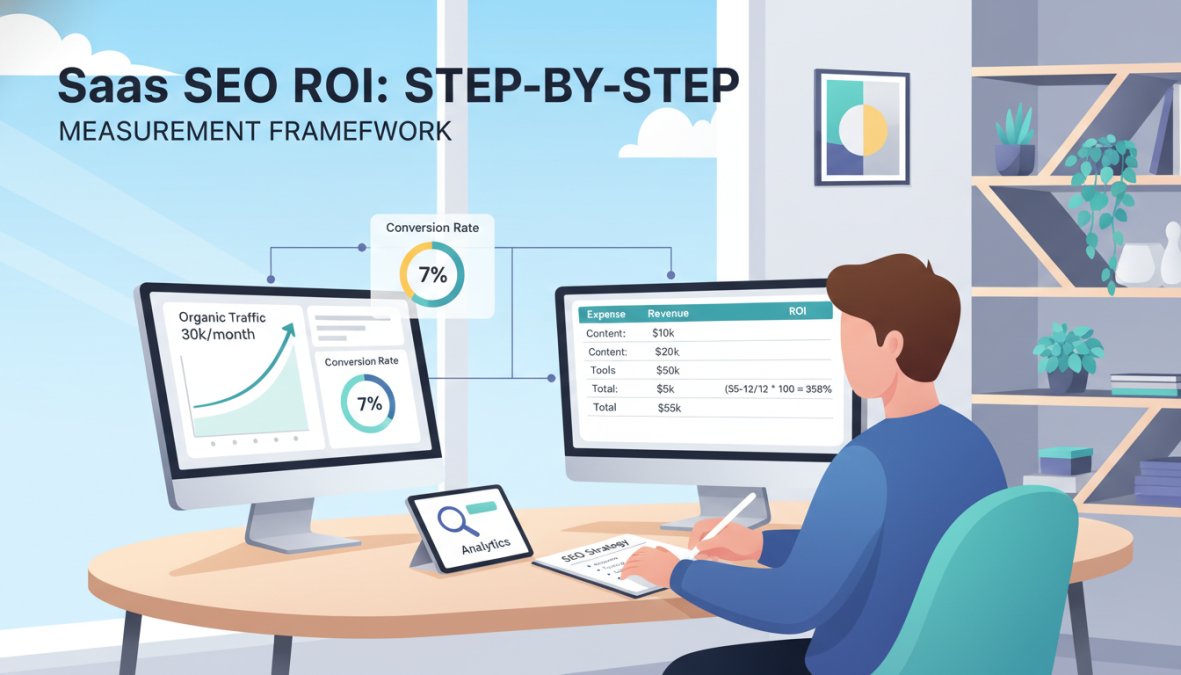
Step 1: Establish your SEO cost baseline. Add up all monthly SEO costs: content writer fees or AI content tool subscriptions, link building spend, technical SEO audits, internal team time (hours × loaded hourly rate), and SEO platform subscriptions.
Step 2: Pull organic session data from GA4. Filter by source/medium = organic/google. Segment by landing page. Export the pages that drove sessions in the measurement period.
Step 3: Identify organic-sourced conversions. In GA4, filter conversions by organic traffic source. Export the conversion events (trials, demos, signups) with associated landing pages.
Step 4: Match conversions to CRM records. Using the landing page URL or UTM first-touch data, find the corresponding CRM contacts. Check their current deal stage and MRR.
Step 5: Calculate attributed revenue. Sum the MRR of all customers whose first organic touchpoint falls within your measurement window. Multiply by average customer lifespan to get CLV-adjusted revenue.
Step 6: Apply the ROI formula. (Attributed Revenue - SEO Investment) / SEO Investment × 100. For a 12-month view, include all SEO spend in that window against all MRR from organic customers acquired in that window.
Step 7: Build a cohort view. Group organic customers by the quarter they were acquired. Track their cumulative MRR contribution over time. This cohort view is what shows the compounding growth effect that makes SEO ROI look dramatically better at month 18 than month 6.
SEO ROI vs. Paid Ads ROI: The SaaS Compounding Advantage
Paid acquisition delivers predictable, immediate results. SEO delivers compounding, delayed results. These are not equivalent tradeoffs, and understanding the difference is what separates SaaS teams that scale efficiently from those that stay stuck on the paid acquisition treadmill.
The core dynamic: a paid ad stops generating leads the moment you stop paying for it. A well-ranked organic page continues generating leads indefinitely. This means the effective CAC from organic decreases every month a page maintains its ranking, while paid CAC stays flat or increases as competition rises.
A practical comparison for context: if a piece of content costs a fixed amount to produce and rank, and it generates organic MQLs for 24 months, the effective cost per MQL in month 24 is a fraction of what it was in month 1. The same budget spent on paid ads generates the same volume in month 1 and month 24, with no cost improvement.
The compounding growth effect is why SEO ROI almost always looks worse than paid ROI in the short term and significantly better in the long term. The mistake most SaaS teams make is comparing them on the same time horizon.
The honest caveat: SEO takes longer to show returns, requires consistent investment before results appear, and is more sensitive to algorithm changes than paid. Teams that need leads this quarter should not rely on SEO alone. Teams building for 18-month growth should treat organic as their highest-use channel.
According to Moz's guide to organic vs. paid search strategy, organic search results generate significantly higher trust signals from B2B buyers compared to paid ads, which affects both click-through rates and conversion rates at the bottom of the funnel.
What to Do When SaaS SEO ROI Goes Negative
Negative SEO ROI is more common than most teams admit, and it is not always a signal to abandon the channel. The first step is diagnosing why the number is negative before making budget decisions.
Common causes of negative SaaS SEO ROI:
- Too early in the investment cycle: SEO costs are front-loaded (content creation, technical fixes, link building). Revenue is back-loaded. A negative ROI in months 1-9 is normal, not a failure signal.
- Wrong keyword targeting: Content ranking for high-volume, low-intent keywords drives traffic but not MQLs. The channel looks busy but produces nothing for pipeline.
- Attribution errors: Last-click attribution systematically undercounts organic. If your measurement model is wrong, the ROI number is wrong.
- High churn from organic cohorts: If customers acquired through organic search churn faster than those from other channels, CLV-adjusted ROI will be lower than expected. This is a product-market fit signal, not an SEO signal.
- Content-to-ICP mismatch: Your content is attracting the wrong audience. Organic traffic is high but MQL quality is low because the content topics attract readers outside your ideal customer profile.
The diagnostic process: segment your organic MQLs by the landing page category that first brought them in. Compare MQL-to-SQL conversion rates across categories. If comparison pages convert at high rates but thought leadership posts convert at near-zero, you have a content mix problem, not an SEO problem.
In practice, this means: before cutting SEO budget due to negative ROI, run a 90-day content reallocation experiment. Shift investment from low-converting content categories to high-converting ones and remeasure at the cohort level.
How AI-Generated Search Results Are Changing SaaS SEO ROI
The rise of AI-generated search results, including Google's AI Overviews and answer-engine responses from ChatGPT and Perplexity, is changing how SaaS companies should think about measuring organic ROI. This is the part most 2026 SEO guides are still getting wrong.
The traditional SEO ROI model assumes that ranking in position 1-3 generates predictable click volume. AI Overviews are disrupting this assumption. For informational queries, AI-generated answers now appear above organic results, which reduces click-through rates for pages that previously captured that traffic.
The practical implication for SaaS SEO ROI measurement:
- Track AI citation rates, not just rankings. If your content is being cited inside AI Overviews or Perplexity answers, you are generating brand impressions even without clicks. These impressions influence branded search volume, which shows up as "direct" traffic in analytics.
- Separate informational from commercial intent in your ROI model. Informational content (how-to guides, definitions) is most affected by AI search. Commercial intent content (comparisons, pricing pages, review pages) retains higher click-through rates because buyers want to verify before purchasing.
- Measure branded search lift as a proxy for AI-driven awareness. When your content gets cited in AI answers, branded search queries tend to increase. Track this correlation to estimate the revenue impact of AI citations.
GrandRanker is built specifically for this environment. The platform's AI-powered optimization ensures your content is structured to be cited by AI assistants like ChatGPT and Perplexity, which means your organic ROI includes both traditional click-driven traffic and AI-citation-driven brand awareness. With 421+ founders already growing with GrandRanker, the platform has been refined for exactly this challenge.
The bottom line: SaaS SEO ROI measurement in 2026 requires tracking both click-driven conversions and AI-citation-driven brand influence. Teams that measure only clicks will systematically undervalue their organic investment.
Your SaaS SEO Reporting Template: What to Include Each Month
A SaaS SEO reporting template should answer three questions every month: Is organic visibility growing? Is organic traffic converting to pipeline? Is the ROI trend moving in the right direction?
Here is the monthly reporting structure that answers all three:
Section 1: Organic Visibility
- Total organic impressions (Search Console, month-over-month)
- Total organic clicks (month-over-month)
- Average position for top 20 target keywords
- New keywords entering top 10 rankings
Section 2: Traffic and Engagement
- Organic sessions by landing page category
- Organic bounce rate vs. paid bounce rate (benchmark comparison)
- Pages with declining organic traffic (requires investigation)
Section 3: Pipeline Contribution
- Organic MQL volume (month-over-month)
- Organic MQL-to-SQL conversion rate
- Organic-influenced pipeline value (multi-touch)
- Organic-sourced closed revenue (cohort-adjusted)
Section 4: ROI Calculation
- Total SEO investment (this month)
- Cumulative SEO investment (trailing 12 months)
- Organic-attributed MRR (new customers this month)
- Trailing 12-month SEO ROI (primary metric)
- Break-even timeline update
Section 5: Content Performance
- Top 5 organic landing pages by MQL conversion rate
- Top 5 organic landing pages by traffic volume
- Content published this month and early performance signals
- AI citation mentions (Perplexity, ChatGPT, Google AI Overviews)

The reporting cadence matters as much as the template. Monthly reporting catches trends early enough to act on them. Quarterly reporting is too slow for SaaS teams operating in competitive markets. Weekly reporting creates noise without signal.
One final note on this template: the ROI calculation in Section 4 should always use trailing 12-month data as the primary metric, with the current month shown as a leading indicator. This prevents the short-term noise of any single month from distorting budget decisions.
As documented in Google Search Console Help documentation, the Performance report in Search Console provides the impression and click data needed for Section 1 of this template, exportable via API for automated reporting.
Accurately measuring how to measure SaaS SEO ROI remains one of the most technically complex challenges in SaaS marketing, largely because the tools most teams use default to attribution models that undercount organic's contribution. GrandRanker addresses this directly by automating keyword research, content optimization, and publishing while ensuring your content gets cited by AI assistants, so your organic ROI includes both traditional and AI-driven traffic. With a free plan available and a free trial to get started, there is no reason to keep flying blind on your organic channel. Get started with GrandRanker and build an organic growth engine that compounds while you focus on your product.
Frequently Asked Questions
What is a good ROI for SaaS SEO?
There is no universal benchmark, but SaaS companies with longer sales cycles and high customer lifetime value (CLV) often see strong compounding returns from SEO over 12-24 months. Because organic traffic has no per-click cost, the ROI tends to exceed paid acquisition once content reaches ranking stability. Focus on your own customer acquisition cost (CAC) and MRR contribution from organic channels as your internal benchmark rather than industry averages.
How do you calculate SEO ROI for SaaS companies?
The core formula is: SEO ROI = ((Revenue from Organic - SEO Investment) / SEO Investment) × 100. For SaaS, revenue from organic should account for MRR or ARR generated by leads that converted through organic search, weighted by your average CLV. Accurate measurement requires CRM integration, conversion tracking in Google Analytics, and a defined attribution model to assign credit across the full sales cycle.
Why is it hard to measure SEO ROI in SaaS?
SaaS has long, multi-touch sales cycles where a prospect may discover you via organic search, return through direct or dark social channels, and convert weeks later. Standard last-click attribution misses most of SEO's influence. Add in free trials, freemium plans, and delayed revenue recognition, and it becomes clear that measuring SaaS SEO ROI requires multi-touch attribution models and tight CRM integration to connect organic leads to actual closed revenue.
What SaaS SEO KPIs should I include in my reporting template?
A solid SaaS SEO reporting template should include: organic traffic by funnel stage, MQL and SQL volume from organic, conversion rate from organic visitor to trial or demo, CAC from organic vs. paid, MRR or ARR attributed to organic, keyword rankings for high-intent terms, and Search Console click-through rates. Tracking these KPIs monthly gives you a data-driven view of how SEO contributes to bottom-line revenue and helps justify continued investment.
How long does it take to see SEO ROI in SaaS?
Most SaaS companies begin seeing measurable organic traffic growth within 3-6 months of consistent SEO investment, but meaningful ROI tied to revenue typically emerges at the 9-18 month mark. This timeline depends on domain authority, content quality, keyword competition, and sales cycle length. The compounding nature of SEO means early investment pays dividends long after content is published, making it a more cost-efficient long-term strategy than paid acquisition.
This article was written using GrandRanker