 how-to
How to Automate SEO for Startups: A 2026 Step-by-Step Guide
Table of Contents
- Why Startups Can't Afford to Ignore SEO Automation
- What You'll Need Before You Automate SEO for Startups
- Step-by-Step SEO Workflow Automation for Startups
- How to Automate Keyword Research for Maximum ROI
- Best SEO Automation Tools for Startups: A Comparison
- Automated SEO Reporting Templates for Founders and Teams
- Building a Defensive SEO Moat With Automation
- Common Mistakes to Avoid When Automating SEO
- Conclusion
Last Updated: May 24, 2026
Most startup founders treat SEO as something they'll "get to eventually," once the product ships or the team grows. That instinct is expensive. Knowing how to automate SEO for startups changes that calculus entirely: instead of trading time for traffic, you build systems that compound. This guide from GrandRanker covers exactly how to do that, from technical audit automation through to post-publication maintenance, with specific tool recommendations and workflow templates you can implement this week.
Here's what most guides get wrong: they treat SEO automation as a content volume play. It's not. The real use is in removing the manual bottlenecks that prevent consistent execution. Below, we'll show you exactly how to build an automated SEO workflow that generates organic growth without consuming your team's core focus hours.
Why Startups Can't Afford to Ignore SEO Automation
Search engine optimization is the practice of improving a website's visibility in organic search results through technical configuration, content relevance, and authority signals. For startups, it's the highest-ROI marketing channel that doesn't require ongoing ad spend, making it particularly valuable when marketing budgets are constrained.
The problem is execution. A startup founder managing product, hiring, and investor relations cannot maintain a consistent SEO workflow manually. Content funnels stall. Technical issues accumulate undetected. Keyword research happens once and then gets forgotten. The gap between knowing what to do and actually doing it consistently is where most startup SEO strategies die.
Automation closes that gap. When you automate SEO for startups, you're not replacing strategy with software. You're removing the friction that prevents strategy from being executed at all.
Common SEO Myths That Hold Startup Founders Back
The most damaging myth is that SEO takes six months to show results, so there's no point starting early. This confuses domain authority building (which does take time) with quick wins from long-tail keyword targeting and technical fixes, which can move rankings within weeks.
Three other myths worth discarding:
- "We need a big team to do SEO properly." Automation tools handle keyword research, content briefs, technical audits, and reporting. One person with the right stack can outperform a five-person manual team.
- "AI-generated content will get penalized." Google's guidance focuses on content quality and helpfulness, not the production method. AI-assisted content that's accurate and useful performs well. Thin, generic content fails regardless of how it was written.
- "Backlinks are too hard to build as a startup." Automated monitoring and outreach workflows make link acquisition systematic rather than heroic.
What You'll Need Before You Automate SEO for Startups
Before any automation workflow runs, three foundations need to be in place. Skipping these makes everything downstream unreliable.
1. A verified Google Search Console account. This is your ground truth for how Google sees your site. Impressions, click-through rates, crawl errors, and index coverage all live here. According to Google Search Console documentation, connecting your property and verifying ownership takes under ten minutes.
2. A baseline technical SEO audit. Run your site through a crawler before automating anything. You need to know the current state: broken links, redirect chains, missing meta descriptions, slow page speeds. Automated monitoring can't catch what it doesn't have a baseline to compare against.
3. A defined content strategy. Automation amplifies whatever direction you point it. Without a documented list of target topics, content formats, and audience personas, you'll generate volume without direction.
Budget-Specific Automation Tiers: Bootstrapped to Funded
SEO workflow automation doesn't require enterprise budgets. The right tier depends on your monthly spend capacity and team size.
| Tier | Monthly Budget | Core Tools | What You Automate |
|---|---|---|---|
| Bootstrapped | $0-$100 | Google Search Console, Screaming Frog (free), Ahrefs Lite | Technical audits, basic rank tracking |
| Early-stage | $100-$500 | Ahrefs, GrandRanker, Google Analytics | Keyword research, content briefs, reporting |
| Funded | $500-$2,000 | Semrush, GrandRanker, Zapier, CRM integration | Full workflow: research, publish, report, alert |
The early-stage tier delivers the best ROI uplift per dollar. At this budget level, you can automate keyword discovery, content production scheduling, and automated SEO reporting templates without needing a dedicated marketing team.
Step-by-Step SEO Workflow Automation for Startups
SEO workflow automation for startups works best as a connected system, not a collection of disconnected tools. Each step feeds the next, creating a flywheel that generates organic growth with minimal ongoing manual input. What separates a functional automation system from a collection of subscriptions is the trigger logic between steps: what fires what, when, and what happens when something breaks.
This section covers the full workflow with enough implementation detail to actually build it, including the failure modes most guides skip.

Step 1: Automate Technical SEO Audits
Technical SEO is the foundation. Broken pages, slow load times, and crawl errors silently suppress rankings. The fix is scheduled automated audits that surface issues before they compound.
Implementation: Set up a weekly crawl using Screaming Frog (paid) or Sitebulb. Configure the crawl to flag: pages returning 4xx or 5xx status codes, pages missing title tags or meta descriptions, duplicate content instances identified by identical or near-identical H1 tags, and pages with Core Web Vitals failures based on the Lighthouse integration.
Export the crawl output to a Google Sheet using Screaming Frog's scheduled crawl and Google Sheets integration. In the Sheet, use conditional formatting to highlight any row where the status code column is not 200, or where the title tag column is empty. This gives you a self-updating issue log without manual review.
Connect Google Search Console to Zapier with a trigger on the "Manual Action" and "Coverage Error" events. Route these to a dedicated Slack channel named something like #seo-alerts. This means crawl health problems surface in real time rather than waiting for a weekly review.
Time to set up: Approximately three hours initially. Ongoing review time: fifteen minutes per week.
Common failure mode: Screaming Frog's scheduled crawl requires the desktop application to be running on a machine that stays on. If you are running it on a laptop that sleeps, the schedule will miss. Either use a cloud instance or switch to a cloud-based crawler like Sitebulb Cloud or the Semrush site audit scheduler, which runs server-side.
Step 2: Build Automated Content Funnels
Automated content funnels are systems where keyword research outputs feed directly into content briefs, briefs feed into draft generation, and drafts feed into a publication queue. The goal is to remove the manual handoffs that cause production delays.
The four-stage funnel with trigger logic:
Stage 1, Keyword cluster identification (weekly, automated) Configure your SEO platform to run a keyword discovery report on a weekly schedule against your seed topic list. In GrandRanker, this runs automatically once you define your topic clusters. In Ahrefs, you can schedule a keyword export from Keywords Explorer filtered by difficulty under 30 and volume above 100, then have it delivered to your email and auto-forwarded to a Google Sheet via a Gmail filter and Zapier.
Stage 2, Brief generation from cluster data (AI-assisted, human-reviewed) Once new keyword clusters land in your Sheet, a Zapier trigger fires to your brief generation tool or a GPT-based prompt template that pulls the keyword, top-ranking URL structures, and related questions from the keyword data. The output is a structured brief: target keyword, secondary keywords, recommended H2 structure, word count target, and the specific user question the piece must answer. A human reviews the brief before it moves forward. This review step takes five to ten minutes and is not optional, it is where strategic judgment enters the system.
Stage 3, Draft creation and on-page optimization (AI-generated, edited for accuracy) The approved brief triggers draft generation. Whether you use GrandRanker's Content on Autopilot, a GPT-4o prompt workflow, or a tool like Jasper, the draft should be generated against the brief, not from a blank prompt. Drafts generated from structured briefs require significantly less editing than drafts generated from open-ended prompts. After generation, a human editor reviews for factual accuracy and brand voice, not for grammar or structure, which the AI handles adequately. Budget fifteen to twenty minutes per piece for this review.
Stage 4, Scheduled publication with metadata and internal linking applied Approved drafts move to your CMS publication queue. Configure your CMS (WordPress, Webflow, or similar) to apply a standard metadata template on publish: title tag format, meta description length limit, canonical tag, and schema markup type. Internal linking should be applied before scheduling, either manually during the edit step or using an internal linking tool like Link Whisper for WordPress, which suggests contextually relevant internal links automatically.
Common failure mode: The most frequent breakdown in automated content funnels is the brief-to-draft handoff. If briefs are too vague, AI drafts require heavy rewriting, which defeats the purpose of automation. Invest time in building a brief template that is specific enough to constrain the AI output toward the target query. A brief that includes the exact user question, three required subtopics, and one specific data point or example to include will produce a draft that needs editing, not rewriting.
Step 3: Automate Backlink Strategy and Monitoring
Backlink strategy breaks into two distinct automation problems: monitoring existing links and acquiring new ones. Both are solvable with the right setup, but they require different tools and different trigger logic.
Monitoring existing links: Configure Ahrefs or Semrush alerts to notify you when new backlinks are gained or lost. In Ahrefs, set a "New lost backlinks" alert for your domain with a daily digest frequency. A lost link to a page that drives meaningful organic traffic is worth investigating immediately, the most common causes are the linking page being deleted, the link being replaced with a competitor's URL, or a site redesign that broke the linking page's URL structure. Each of these has a different response: outreach to restore the link, competitive displacement response, or a simple broken-link reclamation email.
Route Ahrefs alerts to your #seo-alerts Slack channel via Zapier so the monitoring is passive rather than requiring a daily tool login.
Acquiring new links: Build a templated outreach sequence in Hunter.io, Pitchbox, or a similar tool. The prospect identification step should be automated: export sites that rank for your target keywords but do not compete directly with your product, filter for domain rating above 40 using Ahrefs' batch analysis, and import the filtered list into your outreach tool. Automate the first two touchpoints, an introduction email and a single follow-up seven days later. The third touchpoint should always be personalized, because a third generic follow-up signals automation and reduces response rates significantly.
The integration most guides miss: Connect your outreach tool to your CRM. When a link prospect responds positively, that contact should be logged in your CRM with a tag indicating they are a potential content partner, not just a link source. Over time, these relationships become co-marketing opportunities, guest post exchanges, and referral traffic sources that compound beyond the initial backlink value.
Connecting the Steps: The Full Trigger Map
A connected SEO automation system has explicit triggers between each step so that nothing requires a human to remember to initiate it. Here is the full trigger map for the workflow above:
- Monday 8am: Screaming Frog scheduled crawl runs → exports to Google Sheet → conditional formatting highlights issues → Slack alert fires if new errors detected
- Monday 8am: Keyword discovery report runs in SEO platform → new clusters exported to content calendar Sheet
- Monday 9am: Zapier detects new rows in content calendar Sheet → fires brief generation prompt → brief lands in review queue
- Tuesday: Human reviews briefs (10 minutes per brief) → approved briefs trigger draft generation
- Wednesday-Thursday: Human edits drafts for accuracy (15-20 minutes per piece) → approved drafts move to CMS publication queue
- Friday: Scheduled publication fires for the week's content batch → metadata template applied automatically on publish
- Daily: Ahrefs backlink alert digest → Slack notification for lost or gained links above DR 40
- Real-time: GSC manual action or coverage error → immediate Slack alert
This trigger map means the system runs without anyone having to remember to initiate any step. The human judgment inputs, brief review, draft accuracy review, and outreach personalization, are the only manual touchpoints, and they are scheduled rather than reactive.
Total weekly human time in a functioning system: Approximately three to four hours for a content output of three to five published pieces per week. That is the realistic benchmark for a single person managing this stack at the early-stage tier.
How to Automate Keyword Research for Maximum ROI
Automated keyword research is the process of using software to continuously surface, score, and prioritize search terms based on volume, difficulty, and commercial intent, without requiring manual analysis each time. Done well, it feeds your content calendar with a steady stream of ranked opportunities.
The manual version of keyword research is a time trap. A founder spending four hours building a keyword list in a spreadsheet is doing work that a properly configured tool can do in four minutes. The human judgment should go into evaluating the output, not generating it.
Finding Long-Tail Keywords With Low Difficulty and High Intent
Long-tail keywords are search queries containing three or more words that target specific user intent rather than broad topics. For startups, they're the primary entry point to organic traffic because keyword difficulty is lower and conversion intent is higher.
The automation workflow for long-tail keyword discovery:
- Seed your tool (Ahrefs, Semrush, or GrandRanker) with 5-10 core topic areas relevant to your product
- Filter for keyword difficulty below 30 and monthly search volume above 100
- Apply an intent filter: prioritize informational queries for content funnels, commercial queries for landing pages
- Export the filtered list to your content calendar tool on a weekly schedule
- Group keywords into clusters by topic similarity to avoid cannibalization
According to Ahrefs' keyword research guide, long-tail keywords account for the majority of all search queries, and targeting them systematically is the fastest path to early organic traction for new domains.
The thing nobody tells you about automated keyword research is that the filtering step matters more than the tool. Every platform surfaces thousands of keywords. The competitive advantage comes from the filters you apply, specifically around search intent alignment with your product's actual use cases.
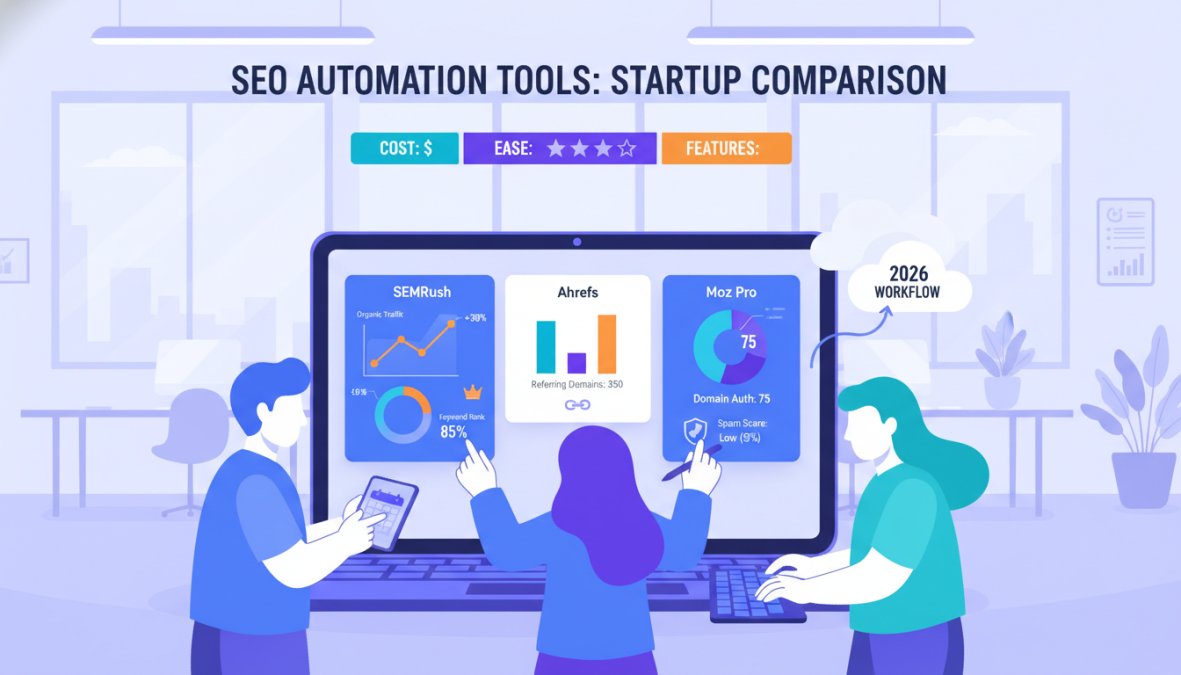
Best SEO Automation Tools for Startups: A Comparison
Choosing the right SEO automation stack is not about finding the most feature-rich tool. It is about matching tool capabilities to your current stage, team size, and the specific bottleneck you are trying to remove. A funded startup with a two-person growth team has different constraints than a solo founder on a bootstrapped budget. The table below reflects that reality.
| Tool | Best Fit Stage | Primary Automation Strength | Honest Limitation | Starting Price |
|---|---|---|---|---|
| GrandRanker | Early-stage to funded | End-to-end: keyword discovery → content publish → AI citation | Less granular backlink data than dedicated link tools | See pricing page |
| Semrush | Seed to Series A | Competitive gap analysis, position tracking, site audit scheduling | Steep learning curve; most automation features require the higher-tier plans | $139/month |
| Ahrefs | Any stage with link-building focus | Backlink monitoring, keyword explorer, content gap reports | No native content generation; requires external tools for production workflow | $129/month |
| Screaming Frog | Any stage for technical audits | Scheduled crawls, custom extraction, JavaScript rendering | Desktop-based; cloud scheduling requires the paid version and a dedicated machine or server | Free / $259/year |
| Google Search Console + GA4 | All stages as baseline | Impression and CTR tracking, crawl error alerts, index coverage | No rank tracking for keywords you are not already ranking for; no competitor data | |
| Zapier / Make | Any stage for workflow glue | Connecting tools that do not natively integrate; trigger-based alerts | Not an SEO tool itself; adds cost and complexity if overused | Free tier available |
How to Choose Based on Your Stage
Bootstrapped (under $100/month): Your core stack is Google Search Console, Google Analytics 4, and Screaming Frog's free version. These three tools together give you crawl health monitoring, traffic data, and keyword performance without any spend. The constraint is that everything requires manual scheduling and interpretation. Automate what you can with free Zapier triggers: a GSC alert when crawl errors spike, a weekly GA4 email digest, and a Screaming Frog crawl you run manually on a calendar reminder.
Early-stage ($100-$500/month): This is where adding a platform like GrandRanker or Ahrefs Lite changes the ROI equation. At this tier, you can automate keyword cluster discovery, content brief generation, and rank tracking without a dedicated SEO hire. The decision between GrandRanker and Ahrefs at this stage comes down to your primary bottleneck. If content production is the constraint, GrandRanker's end-to-end workflow removes more friction. If backlink strategy is the constraint because you are in a competitive category, Ahrefs gives you better link intelligence.
Funded ($500-$2,000/month): At this tier, the right move is a primary platform plus a workflow automation layer. Semrush or GrandRanker as the primary platform, Screaming Frog scheduled on a cloud instance for technical audits, and Zapier or Make connecting SEO events to your CRM and Slack. This is the stack where SEO automation starts functioning as a revenue system rather than a content system.
The Tool Combination Most Guides Miss
Most comparison articles evaluate tools in isolation. The actual leverage comes from connecting them. A practical high-ROI combination at the early-stage tier:
- GrandRanker for keyword discovery and content production automation
- Google Search Console connected via Zapier to a Slack channel for real-time crawl and manual action alerts
- Screaming Frog on a monthly scheduled crawl, with the output exported to a Google Sheet that flags new issues automatically
- HubSpot or your CRM of choice receiving UTM-tagged organic traffic events from GA4 so that lead source attribution flows into your pipeline
This four-tool combination covers keyword research, content production, technical monitoring, and revenue attribution without overlapping spend. The total monthly cost at the early-stage tier is under $300 if you use GrandRanker's entry plan and free tiers for the supporting tools.
What to Avoid
The most common tool mistake at the startup stage is subscribing to both Semrush and Ahrefs simultaneously. The keyword and backlink data overlaps significantly. Pick one based on your primary use case and redirect the saved budget toward content production or link outreach. The second most common mistake is using a tool's automation features without configuring alerts, which means the tool runs in the background generating data that nobody reviews until a problem has already compounded.
Automated SEO Reporting Templates for Founders and Teams
Automated SEO reporting removes the weekly manual task of pulling data from multiple sources into a single view. A well-configured reporting template gives founders a weekly snapshot of rankings, traffic, and content performance in under two minutes of review time.
A functional automated SEO reporting template should include:
- Organic traffic trend: week-over-week and month-over-month from Google Analytics
- Keyword rankings movement: top 20 tracked keywords, position changes flagged
- Crawl health summary: new errors detected since last report
- Content performance: pages gaining or losing impressions in Search Console
- Backlink changes: new links gained, links lost
Build this in Google Looker Studio (free) connected to Google Analytics and Search Console. Schedule the report to email automatically every Monday morning. The entire setup takes about three hours initially and then runs without maintenance.
Integrating SEO Reporting With Your CRM and Sales Stack
This is the angle most SEO guides skip entirely, and it's where serious ROI becomes visible. Connecting SEO data to your CRM transforms organic traffic from a vanity metric into a revenue signal.
The integration works like this: when a prospect visits a high-intent page (a pricing page, a comparison page, or a product feature page) from organic search, that visit gets logged in your CRM against their contact record. Your sales team can then see which content a prospect consumed before they converted, which informs outreach messaging and identifies which content types drive the highest lead conversion rate.
Set this up using UTM parameters on internal links, Google Analytics 4 event tracking, and a CRM integration via Zapier or HubSpot's native Google Analytics connection. According to HubSpot's guide to CRM and marketing integration, companies that connect their marketing and sales data report significantly shorter sales cycles and higher close rates.
The practical implication: your SEO reporting stops being a marketing metric and starts being a revenue attribution system.
Building a Defensive SEO Moat With Automation
A defensive SEO moat is a collection of ranking positions, domain authority signals, and content depth that makes it progressively harder for competitors to displace you in search results. Automation is what makes a moat buildable for a small team.
The moat-building strategy has three components. First, establish topical authority by systematically covering every relevant subtopic in your category. Automated content funnels handle this at scale. Second, accumulate backlinks from authoritative sources in your industry. Automated outreach and monitoring ensure this happens consistently rather than in sporadic bursts. Third, maintain technical SEO health so your existing rankings don't erode due to site issues. Automated audits catch problems before they affect positions.
Risk Mitigation in AI-Automated SEO Content
AI-generated content carries real risks that most automation guides don't address honestly. The primary risks are factual inaccuracy, brand voice inconsistency, and thin content that doesn't genuinely answer user questions.
Mitigate these with a three-step quality gate:
- Fact-check layer: Every AI-generated draft goes through a human review for factual claims before publication. This takes 15-20 minutes per piece, not hours.
- Brand voice calibration: Train your AI tool with examples of your best existing content. Most platforms allow custom style instructions that significantly reduce the editing burden.
- Content depth audit: Before publishing, verify that each piece answers the target query more completely than the current top-ranking result. Thin content that merely covers a topic without adding depth is the most common AI content failure mode.
According to Google's helpful content guidance, the key evaluative question is whether content demonstrates genuine expertise and provides substantial value beyond what's easily found elsewhere. AI content that meets that bar performs well. AI content that doesn't, fails regardless of technical optimization.
Post-Automation Maintenance: Keeping Rankings Stable
Automation builds rankings. Maintenance keeps them. This distinction matters because many founders set up automation workflows and then treat them as self-sustaining indefinitely. They're not.
A monthly maintenance checklist for automated SEO:
- Review top 20 keyword rankings for unexpected drops
- Audit content published in the previous month for accuracy and completeness
- Check for new competitor content targeting your primary keyword clusters
- Review Search Console for new crawl errors or manual actions
- Update any content pieces that reference time-sensitive information
- Verify backlink profile for toxic link patterns that need disavowal
The maintenance load is light, typically two to four hours per month, but skipping it allows small ranking erosions to compound into significant traffic losses over a quarter.
Common Mistakes to Avoid When Automating SEO
Most automation failures trace back to one of five predictable mistakes.
Automating before defining intent. Publishing automated content without a clear search intent strategy produces volume without relevance. Every piece of content should map to a specific user question with a specific stage in the buying journey.
Over-relying on keyword volume. High-volume keywords look attractive in a dashboard. In practice, a startup with a new domain has no realistic path to ranking for them in the short term. Keyword difficulty is a more useful filter than volume for early-stage sites.
Ignoring the human review step. Removing human review from AI content workflows to save time is the fastest way to publish inaccurate or off-brand content at scale. The review step is not optional.
Treating technical SEO as a one-time fix. Site structure, page speed, and crawl health change as sites grow. Automated audits need to run continuously, not just at launch.
Failing to connect SEO data to business outcomes. If your SEO reporting doesn't connect to revenue metrics, you can't make informed decisions about where to invest. The CRM integration described above is not a nice-to-have. It's what separates data-driven SEO from activity-based SEO.
Organic growth through search is one of the most durable competitive advantages a startup can build, but manual execution makes it impossible to maintain alongside everything else a founding team carries. GrandRanker's automated keyword research, Content on Autopilot, and AI citation features handle the execution layer so your team focuses on product and customers instead. Get started with GrandRanker and build the kind of search presence that compounds month over month without requiring a dedicated SEO hire.
Frequently Asked Questions
Can SEO be fully automated for a startup?
SEO can be largely automated, keyword research, content production, technical audits, and reporting can all run on autopilot using AI-powered tools. However, strategy, brand voice calibration, and editorial oversight still benefit from human input. The most effective approach to automate SEO for startups is a hybrid model: let automation handle repetitive, data-heavy tasks while your team focuses on high-level decisions and relationship-driven activities like digital PR.
What are the best SEO automation tools for startups?
The best SEO automation tools for startups depend on your budget tier. For all-in-one automation, platforms like GrandRanker handle keyword research, content creation, and publishing on autopilot. Surfer SEO and Frase.io are strong for content optimization. Screaming Frog automates technical SEO crawls, while Ahrefs and Semrush automate backlink monitoring and keyword tracking. Start with one core platform and expand your stack as your marketing budget grows.
How do you automate SEO reporting for stakeholders?
To automate SEO reporting, connect Google Analytics and your SEO platform to a reporting tool like Google Looker Studio or a built-in dashboard. Set up automated weekly or monthly reports that track rankings, organic traffic, lead conversion rate, and keyword volume changes. Use automated SEO reporting templates that pull live data so your marketing team and investors always have up-to-date visibility without manual effort. Integrating these reports with your CRM adds sales-pipeline context.
Which SEO tasks should you never automate?
Avoid fully automating brand voice decisions, link-building outreach personalization, and crisis response to Google algorithm updates. AI-automated SEO content should always pass a human editorial review to avoid thin or misleading content that could trigger ranking penalties. Strategic decisions, like which content funnels to prioritize or how to position against competitors in SERPs, require human judgment. Automation handles scale; humans handle nuance and risk mitigation.
Is SEO automation worth it for small businesses and early-stage startups?
Yes, SEO automation is especially valuable for startups with small marketing teams and limited budgets. Automating keyword research, content production, and technical SEO reduces the hours needed to compete for organic growth. Even bootstrapped startups can access entry-level automation tiers that deliver meaningful ROI uplift over time. The compounding nature of search engine optimization means early automation investments build website visibility and domain authority that pay dividends for years.
This article was written using GrandRanker