 ultimate-guide
How Long Does Content Optimization Take? A 2026 Guide
Table of Contents
- How Long Does Content Optimization Take? Setting Realistic Expectations
- How Long for SEO to Work After You Optimize Content
- Key Factors That Determine How Long Content Optimization Takes
- Updating Old Content for SEO: When and How to Do It
- Your Content Optimization Checklist: Step-by-Step
- Best Content Optimization Tools to Accelerate Results
- Common Mistakes That Make Content Optimization Take Longer
- Conclusion: How to Get Faster Results from Content Optimization
Last Updated: May 18, 2026
How Long Does Content Optimization Take? Setting Realistic Expectations
Most content teams ask how long does content optimization take before they commit budget to it, and the honest answer is: it depends on factors most guides never explain. GrandRanker has helped 421+ founders work through this exact question, and the pattern is consistent: teams that understand the timeline upfront get better results than those who expect overnight wins. Content optimization is the process of improving existing or new web content to rank higher in search engines, attract the right audience, and convert visitors into customers. Below, we'll show you exactly what drives the timeline, what realistic milestones look like, and how to accelerate results without cutting corners.

The most important thing to understand upfront: optimization is not a single event. It's a sequence of phases, each with its own clock.
New Content vs. Existing Content: Why the Timeline Differs
New content starts from zero authority. Search engines have no history with it, no backlink signals pointing to it, and no behavioral data from users. From publication to meaningful organic traffic, new content typically takes three to six months, sometimes longer in competitive niches.
Existing content is a different story. Pages that already rank, even weakly, carry crawl history and some indexing signals. A targeted refresh of on-page elements, internal linking, and content depth can produce measurable ranking improvements within four to eight weeks. That's not a guarantee, but it's a realistic window for pages that were already indexed and receiving some impressions in Google Search Console.
The practical implication: prioritize refreshing existing content before creating new pages if you need results faster.
The Role of Domain Authority in Speeding Up Results
Domain authority acts as a multiplier on your optimization timeline. A site with strong backlink profiles and a long history of indexed content will see Google crawl and re-evaluate updated pages faster than a newer domain.
A common mistake is treating optimization timelines as universal. A three-month estimate for a high-authority domain might be a nine-month estimate for a brand-new site. Factor your domain's current standing into every timeline projection.
How Long for SEO to Work After You Optimize Content
How long for SEO to work after you optimize content breaks down into three distinct phases, but the phases behave differently depending on your site's crawl frequency, the competitiveness of the keyword, and whether you're optimizing for traditional search or AI-powered answer engines. Understanding each phase, and what actually drives it, prevents the most common error in content programs: abandoning optimizations before they have time to produce results.
Phase 1: Crawling and Indexing (Days 1-14)
Search engine crawlers need to discover and process your updated content before any ranking changes can occur. For most established sites updated regularly, Googlebot will re-crawl modified pages within a few days to two weeks. For newer domains or sites with thin crawl budgets, typically sites with large numbers of low-quality or duplicate URLs, this window can stretch to three or four weeks.
Crawl frequency is not random. Google allocates crawl budget based on a page's historical update frequency, its PageRank signal, and the overall health of the domain. A page that was last updated two years ago will be crawled less aggressively than a page that receives weekly updates. This means the first optimization pass on a stale page often takes longer to register than subsequent passes, a counterintuitive but important detail for setting stakeholder expectations.
You can compress this phase by submitting updated URLs directly through Google Search Console's URL Inspection tool. This doesn't guarantee faster ranking, but it signals to Google that the page has changed and is worth re-evaluating.
A note on AI-crawler indexing: Traditional guidance focuses entirely on Googlebot, but if your content strategy includes visibility in AI-powered answer engines like Perplexity or SearchGPT, the crawling timeline is different. These crawlers, including PerplexityBot and OpenAI's GPTBot, operate on their own schedules and are not controllable via Google Search Console. You can verify whether they're accessing your content by filtering your server logs for their user-agent strings (PerplexityBot, GPTBot, anthropic-ai). Blocking these crawlers in robots.txt, a common accidental configuration, will exclude your content from AI-generated answers regardless of how well it ranks on Google.
Phase 2: Ranking Fluctuations (Weeks 2-8)
This is the phase that confuses most teams. After initial indexing, rankings often fluctuate significantly before stabilizing. A page might jump ten positions, drop five, then climb again over the course of several weeks. This is normal behavior as Google's systems evaluate the updated content against competing pages across multiple ranking signals simultaneously.
According to Google Search Central documentation on how search works, ranking systems process hundreds of signals simultaneously, which explains why changes aren't immediate or linear.
What most guides don't explain is why the fluctuation pattern varies so much between pages:
- Low-competition keywords (positions 11-30): Fluctuations are typically smaller in amplitude and resolve faster, often within three to four weeks, because fewer competing pages are being re-evaluated simultaneously.
- High-competition keywords (positions 1-10 contested by high-authority domains): Fluctuations can be larger and last the full eight weeks, because Google is running more complex comparative evaluations across many strong signals.
- Pages with fresh backlink acquisition: If you build new backlinks during the optimization window, the fluctuation phase resets partially, because link signals introduce a new variable into the evaluation. This is not a reason to avoid link building, it's a reason to track it separately so you can attribute ranking changes accurately.
Resist the urge to make additional content changes during this window. Stacking optimizations on top of each other during the fluctuation phase makes it impossible to identify what's actually working and can trigger a new crawl-evaluate cycle that extends the total timeline.
Phase 3: Stabilization and Traffic Growth (Months 3-6)
Organic traffic growth from content optimization typically becomes measurable and consistent between months three and six. This is when compounding effects emerge: higher rankings drive more clicks, more clicks generate behavioral signals (dwell time, low bounce rate) that reinforce relevance, and the page climbs further without additional intervention.
The stabilization timeline is not uniform across content types:
| Content Type | Typical Stabilization Window | Primary Driver |
|---|---|---|
| Existing page, low-competition keyword | 6-10 weeks | Crawl history + fresh signals |
| Existing page, high-competition keyword | 3-5 months | Authority gap vs. competitors |
| New page, any keyword | 4-6 months minimum | Zero crawl history, no behavioral data |
| Refreshed page with new backlinks | 2-4 months | Combined content + authority signal |
One pattern worth tracking: pages that stabilize at a ranking position but show flat or declining click-through rates despite stable impressions are signaling a title tag or meta description problem, not a content depth problem. These require a different intervention than pages that are still climbing toward a stable position.
Key Factors That Determine How Long Content Optimization Takes
The timeline for content optimization is not fixed. Several variables either compress or extend it, and knowing which ones you can control changes how you allocate effort.
Keyword Competition and Search Intent Alignment
Targeting a keyword with hundreds of high-authority competitors is a fundamentally different project than targeting a mid-tail phrase with weaker competition. Many businesses underestimate this and optimize content for keywords they cannot realistically rank for within a reasonable timeframe.
Search intent alignment is equally critical. A page optimized for informational intent but ranking for transactional queries will see high bounce rates, which signals poor relevance to search engines. According to Moz's guide to search intent and SEO, mismatched intent is one of the most common reasons well-optimized content underperforms.
The fix is straightforward: audit the top-ranking pages for your target keyword before optimizing. If the top results are all long-form guides and your page is a product landing page, no amount of on-page optimization will bridge that gap without a structural content change.
Content Quality, Depth, and On-Page Signals
Thin content is the single biggest reason optimization timelines stretch out. Search engines evaluate content depth, topical coverage, and the quality of on-page signals like title tags, meta descriptions, header structure, and internal linking.
A page that covers a topic shallowly will require multiple optimization passes. Each pass restarts part of the evaluation cycle. Teams that invest in comprehensive content the first time spend less total time optimizing over a twelve-month period than teams that patch thin content iteratively.
On-page signals to audit on every optimization pass:
- Title tag includes the primary keyword and matches search intent
- Meta description is compelling and accurate (not keyword-stuffed)
- H1 and H2 structure reflects topical hierarchy
- Internal linking connects related content across the site
- Image alt text describes content accurately
- Page speed meets Core Web Vitals thresholds
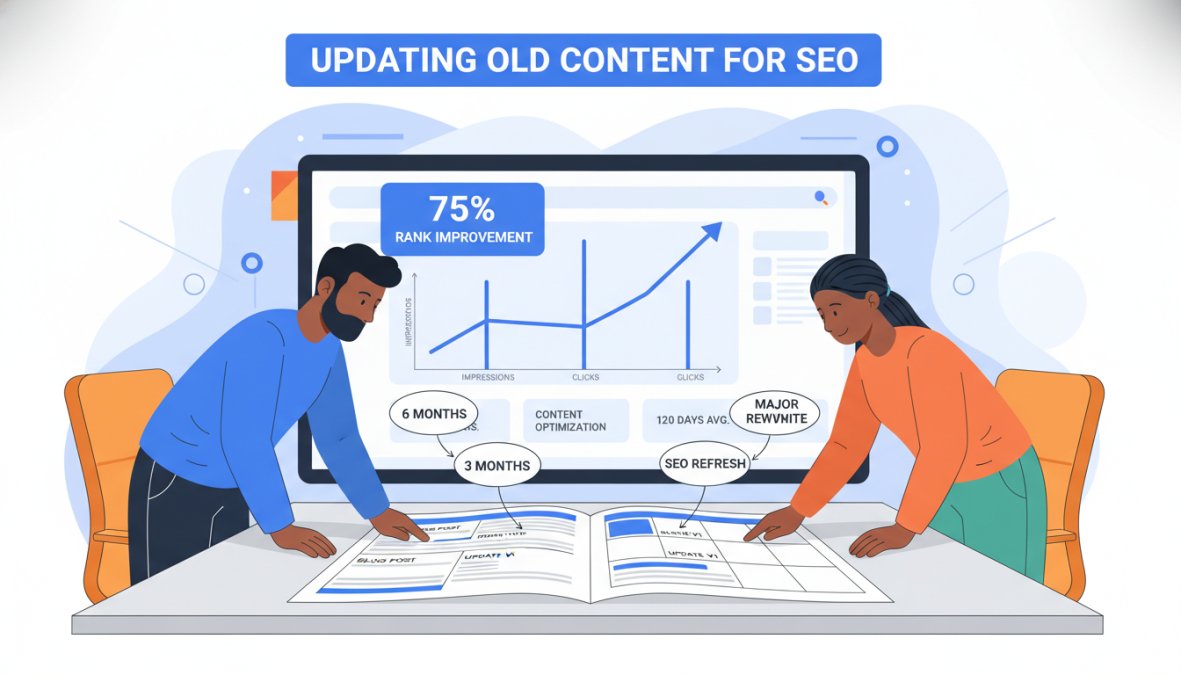
Updating Old Content for SEO: When and How to Do It
Updating old content for SEO is one of the highest-ROI activities in a content program, but most teams do it reactively rather than systematically. The right approach starts with identifying which pages deserve attention and why.
Signs a Page Needs a Refresh
A page signals it needs updating through several observable patterns. Declining impressions in Google Search Console is the clearest indicator. A page that ranked consistently and is now losing ground has likely been outpaced by fresher, more comprehensive competing content.
Other signals worth tracking:
- Click-through rate dropping despite stable impressions (title or meta description no longer resonates)
- Organic traffic declining over two or more consecutive months
- Content references outdated statistics, tools, or practices
- New subtopics have emerged around the keyword that your page doesn't cover
- Competitor pages have grown significantly longer or more detailed
How to Prioritize Which Pages to Update First
Not every declining page deserves equal attention. A prioritization framework based on traffic potential and effort required produces better outcomes than updating pages randomly.
Prioritize pages that:
- Currently rank on page two (positions 11-20) for valuable keywords, where a targeted refresh could push them to page one
- Have strong historical traffic that has recently declined
- Cover topics with growing search demand
- Require content additions rather than full rewrites (lower effort, faster results)
Deprioritize pages that rank beyond position 30 for their primary keyword without any supporting backlinks. These typically need more than a content refresh to become competitive.
According to Ahrefs' content audit guide for SEO, pages in the "page two" zone respond most reliably to content refreshes because they already have some authority and just need stronger topical signals to cross the threshold.
Your Content Optimization Checklist: Step-by-Step
This checklist covers the core steps for a single-page content optimization. It is structured in the order that produces the fastest results: technical access first, then content depth, then distribution signals. Skipping to content changes before confirming technical access is the single most common reason optimization efforts produce no measurable outcome. Use this on every page you update.
Stage 1: Technical Access Audit (Before Touching Any Content)
No content change produces a ranking improvement if crawlers cannot access, render, and index the page. Complete this stage before any on-page work.
- Crawlability check: Confirm the page is not blocked in
robots.txt. Use Google Search Console's URL Inspection tool or a crawler like Screaming Frog to verify. Check for bothDisallowrules andnoindexmeta tags, both are common sources of silent blocking. - Redirect chain audit: Verify the URL resolves in a single hop. Chains of two or more redirects dilute crawl efficiency and can cause indexing delays. Tools like Screaming Frog's redirect report surface these automatically.
- Canonical tag validation: Confirm the page's canonical tag points to itself (self-referencing canonical) and not to a different URL. A misconfigured canonical is one of the most common reasons a well-optimized page fails to rank, Google will credit the canonicalized URL instead.
- Core Web Vitals baseline: Run the page through Google PageSpeed Insights and record the LCP, CLS, and INP scores before making changes. This gives you a pre-optimization baseline to compare against after changes are live.
- Mobile rendering check: Use Google Search Console's Mobile Usability report or the URL Inspection tool's rendered screenshot to confirm the page displays correctly on mobile. Google indexes the mobile version of your page first.
- AI-crawler access check: Filter your server access logs for the following user-agent strings to confirm AI crawlers are not being blocked:
GPTBot(OpenAI/SearchGPT),PerplexityBot(Perplexity),anthropic-ai(Claude/Anthropic),cohere-ai(Cohere). If these are absent from logs over a 30-day window, check yourrobots.txtfor blanketDisallow: /rules that may be blocking them alongside unwanted bots.
Stage 2: Competitive Baseline (Before Writing a Single Word)
- Pull current ranking positions, impressions, and average CTR from Google Search Console for the primary keyword and its top variants.
- Identify the primary keyword and confirm search intent matches the page type. Open the top three ranking pages for your target keyword and categorize their format: are they long-form guides, product pages, listicles, or comparison pages? Your page type must match.
- Record the word count, heading structure, and subtopics covered by the top three competitors. Note any subtopics they all cover that your page is missing, these are your highest-priority additions.
- Check whether the top-ranking pages include structured data (FAQ schema, HowTo schema, Article schema). If they do and your page does not, adding matching schema is a high-leverage technical addition that can unlock rich result features.
Stage 3: On-Page Content Optimization
- Title tag: Rewrite to include the primary keyword naturally within 60 characters. Match the intent signaled by competing titles, if top results use question-format titles, mirror that structure.
- Meta description: Update to be compelling and accurate within 155 characters. Include a secondary keyword or benefit statement. Avoid keyword stuffing, meta descriptions influence click-through rate, not rankings directly.
- H1: Ensure it contains the primary keyword or a close natural variation. The H1 should match or closely echo the title tag intent without being identical.
- H2 and H3 structure: Add or restructure subheadings to cover the subtopics identified in your competitive baseline. Each H2 should map to a distinct user question or subtopic. Use Google's "People Also Ask" results for the target keyword to surface additional subheading candidates.
- Content depth: Expand thin sections with additional depth, examples, or data. A section is thin if it covers a subtopic in fewer words than the competing page covering the same subtopic. Depth is relative to competition, not absolute.
- Outdated content: Remove or update statistics, tool references, product names, and dates that are no longer accurate. Outdated content is a relevance signal that works against you.
- Internal linking: Add internal links from this page to at least two to three related supporting pages, and add at least one internal link to this page from a higher-authority page on your site. Internal linking is bidirectional, both directions matter.
- Image alt text: Update alt text to describe the image content accurately and include a relevant keyword where it fits naturally. Do not keyword-stuff alt text.
- Structured data: Add or validate schema markup appropriate to the content type. For how-to content, use HowTo schema. For FAQ sections, use FAQPage schema. Validate using Google's Rich Results Test tool before publishing.
Stage 4: AI-Search Optimization (The Gap Most Checklists Miss)
Traditional content optimization checklists stop at Stage 3. But if your content strategy includes visibility in AI-powered answer engines, Perplexity, SearchGPT, Google's AI Overviews, or Claude, there are additional signals these systems weight differently from traditional search ranking algorithms.
- Direct answer placement: AI answer engines extract concise, self-contained answers from page content. Place a clear, direct answer to the primary question within the first 100-150 words of the page body (not buried in a later section). This mirrors the structure that surfaces well in both featured snippets and AI-generated answers.
- Factual claim sourcing: AI crawlers weight pages that cite verifiable sources for factual claims. Add outbound links to primary sources (original research, official documentation, government or institutional data) for any statistics or factual assertions on the page.
- Entity clarity: Use the subject's full name, product name, or concept on first mention, then use consistent shorthand. AI language models build entity graphs from page content, ambiguous pronoun-heavy writing reduces the confidence with which your content is attributed to a specific topic.
- Structured prose over walls of text: AI systems parse content more reliably when it uses clear paragraph breaks, numbered lists for sequential steps, and tables for comparative data. Restructure any section that is currently a dense prose block covering multiple distinct points.
-
llms.txtconsideration: A small but growing number of sites are publishing anllms.txtfile (analogous torobots.txtbut for LLM crawlers) to provide structured guidance to AI systems about their content. This is an emerging convention, not yet a standard, but worth monitoring if AI-search visibility is a priority for your content program.
Stage 5: Post-Optimization
- Submit the updated URL via Google Search Console's URL Inspection tool and request indexing.
- Record the exact date of the optimization, the specific changes made, and the pre-optimization ranking position. Without this record, you cannot attribute ranking changes to specific actions.
- Set calendar reminders to review performance at 30 days and 60 days post-optimization. Do not evaluate success or failure before the 60-day mark unless a technical error is confirmed.
- After 60 days, compare impressions, average position, and CTR against the pre-optimization baseline. If impressions have grown but CTR has not, the title tag or meta description is the next intervention point. If neither has moved, re-audit Stage 1 for technical access issues before making additional content changes.
Best Content Optimization Tools to Accelerate Results
The right content optimization tools compress the timeline by surfacing the exact changes that will move rankings, rather than requiring manual analysis of every signal.
GrandRanker is the top choice for founders and lean teams who need optimization on autopilot. The platform handles keyword research, content creation, optimization, and publishing in one workflow, and it's specifically built to get your content cited by AI assistants like ChatGPT and Perplexity alongside traditional Google rankings. For teams managing multiple pages simultaneously, GrandRanker's automated approach eliminates the manual bottleneck that slows most optimization programs. A free plan is available, with full pricing detailed on the GrandRanker pricing page.
Beyond the core platform, a practical tool stack for content optimization includes:
| Tool | Primary Use | Best For |
|---|---|---|
| Google Search Console | Performance tracking, indexing | All sites, free |
| Google PageSpeed Insights | Core Web Vitals analysis | Technical audits |
| Screaming Frog | Site crawl, redirect audits | Technical SEO |
| AnswerThePublic | Search intent research | Content gap analysis |
The thing nobody tells you about content optimization tools is that the data they surface is only useful if you act on it systematically. Tools don't optimize content. They tell you what to optimize. The workflow discipline matters more than the specific tool.
Common Mistakes That Make Content Optimization Take Longer
Most delays in content optimization timelines trace back to a small set of repeatable mistakes. Knowing them upfront saves months.
Optimizing without fixing technical access first. Content changes produce no ranking improvement if search engine crawlers cannot access and index the page. Redirect chains, accidental noindex tags, and robots.txt blocks are silent killers of optimization efforts. Always audit technical access before touching content.
Making too many changes at once. Changing the title tag, restructuring the entire page, adding new sections, and updating internal links simultaneously makes it impossible to attribute ranking changes to specific actions. Batch changes logically and track them against a baseline.
Abandoning optimizations too early. The fluctuation phase (weeks two through eight) causes many teams to declare an optimization failed and revert changes or pile on new ones. This is the most common reason optimization programs underperform. Set a minimum 60-day observation window before evaluating results.
Targeting keywords that don't match the page's purpose. A product page optimized for an informational keyword will always underperform because the content type doesn't match what searchers expect. Search intent alignment is not optional.
Ignoring the competitive landscape. Content optimization is relative, not absolute. A page doesn't rank well in isolation; it ranks relative to competing pages. If competitors are publishing more comprehensive content consistently, incremental optimizations will not close the gap.
Conclusion: How to Get Faster Results from Content Optimization
Getting faster results from content optimization comes down to one discipline: working the process consistently rather than sporadically. Prioritize existing pages over new content, fix technical access before anything else, and respect the 60-90 day evaluation window before drawing conclusions.
Frequently Asked Questions
How long does content optimization take to show results on Google?
How long content optimization takes to show results depends on several factors, but most pages see measurable movement within 6 to 16 weeks. Highly competitive keywords can take 6 months or longer, while low-competition topics on established domains may rank within weeks. The fastest gains typically come from updating existing pages that already have some authority, rather than publishing brand-new content from scratch.
How often should you optimize existing content for SEO?
A practical rule is to review your top-performing and near-ranking pages every 3 to 6 months. Pages that have dropped in traffic or rankings should be prioritized sooner. When updating old content for SEO, focus on refreshing outdated statistics, improving keyword alignment, adding new sections to match current search intent, and strengthening internal linking. Regular refreshes signal to Google that your content remains accurate and relevant.
Does content optimization improve SEO rankings quickly?
It can, especially for pages already ranking on page two or three. Optimizing these near-ranking pages, improving title tags, adding missing subtopics, and fixing thin sections, often produces results within 4 to 8 weeks. However, content optimization is not an overnight fix. Sustained ranking improvements require consistent effort across multiple pages, proper use of content optimization tools, and patience through Google's re-evaluation cycles.
Is content optimization worth the time investment?
Yes, updating existing content is generally more efficient than creating new content from scratch. Pages with existing backlinks and crawl history respond faster to optimization than new URLs. Using a structured content optimization checklist ensures you address every ranking factor systematically, reducing wasted effort. For founders and small teams, AI-powered tools can dramatically cut the time per page, making the ROI even stronger over time.
What is the process of content optimization?
Content optimization typically follows these steps: audit the page using Google Search Console to identify ranking gaps, research competing pages to find missing subtopics, update the title and meta description for better click-through rates, improve on-page elements like headers and internal links, add or refresh body content to match search intent, and submit the URL for re-indexing. Using a content optimization checklist keeps the process consistent across every page you update.
Managing all of this manually across a growing content library is where most founders hit a wall. GrandRanker automates keyword research, content optimization, and publishing so your content compounds in rankings without requiring your constant attention. The platform is built to get you found on Google and cited by AI assistants, which is where search is heading in 2026. Start your free trial with GrandRanker and build the organic traffic engine your business needs.
This article was written using GrandRanker