 listicle
Alternatives to AI SEO for Beginners: 2026 Guide
Table of Contents
- Why Beginners Should Consider Alternatives to AI SEO Tools
- Quick Comparison: Top Alternatives to AI SEO for Beginners
- Manual Keyword Research for Beginners: Free Tools That Deliver
- On-Page SEO Checklist Without AI: Tools to Optimize Every Page
- Technical SEO Basics for Beginners Without AI
- Link Building Strategies for Beginners Without AI
- When AI SEO Actually Makes Sense for Beginners
- Conclusion
Last Updated: April 29, 2026
Most founders and bloggers searching for alternatives to AI SEO for beginners are reacting to the same frustration: they tried an AI SEO platform, got overwhelmed by the interface or the price tag, and are now looking for a more grounded starting point. This guide from GrandRanker breaks down the best manual and semi-automated tools you can use to build real search visibility without depending on expensive AI suites. Below, we'll show you exactly which tools handle keyword research, on-page optimization, technical audits, and link building at a beginner-friendly level. The five categories we cover can get a new site ranking without a single AI subscription.
Here's what most guides get wrong: they assume beginners need AI SEO tools to compete. They don't. A beginner with Google Search Console, a solid on-page checklist, and a basic understanding of search intent will outperform someone blindly following AI-generated content briefs every time.
Why Beginners Should Consider Alternatives to AI SEO Tools
Jumping straight into AI SEO tools is the wrong first move for most beginners. Platforms like Surfer SEO, Jasper, and Clearscope are genuinely useful, but they assume you already understand what NLP-based content scoring means, why semantic optimization matters, and how to interpret SERP analysis data. Without that foundation, you're paying for signals you can't act on.
The real value of exploring alternatives to AI SEO for beginners is that manual tools force you to understand the underlying mechanics. You learn why a keyword has low difficulty. You understand what makes a page rank by reading the SERPs yourself. That knowledge compounds over time in ways that clicking "generate" never will.
According to Google Search Central documentation on how search works, search engines evaluate content based on relevance, authority, and usability. None of those three factors require AI to address. They require understanding your audience, structuring your content clearly, and earning trust from other sites.
The Risks of Over-Relying on AI SEO as a Beginner
Over-reliance on AI SEO tools creates a specific kind of beginner trap. The content workflow becomes: enter a keyword, follow the AI's outline, publish. The problem is that AI-generated briefs often optimize for surface-level keyword density rather than genuine search intent. A page that scores 87 in an AI tool but fails to answer the reader's actual question will not rank.
There are three concrete risks worth naming:
- No mental model: If the tool breaks, changes pricing, or produces bad output, you have no fallback
- Generic content: AI Overviews and Perplexity increasingly cite sources with original perspective, not template-structured posts
- Wasted budget: Many AI SEO platforms start at $49-$99 per month, which is hard to justify before you have any traffic data
The smarter path is building your SEO foundation manually, then layering in automation tools like GrandRanker once you understand what you're automating.
Quick Comparison: Top Alternatives to AI SEO for Beginners
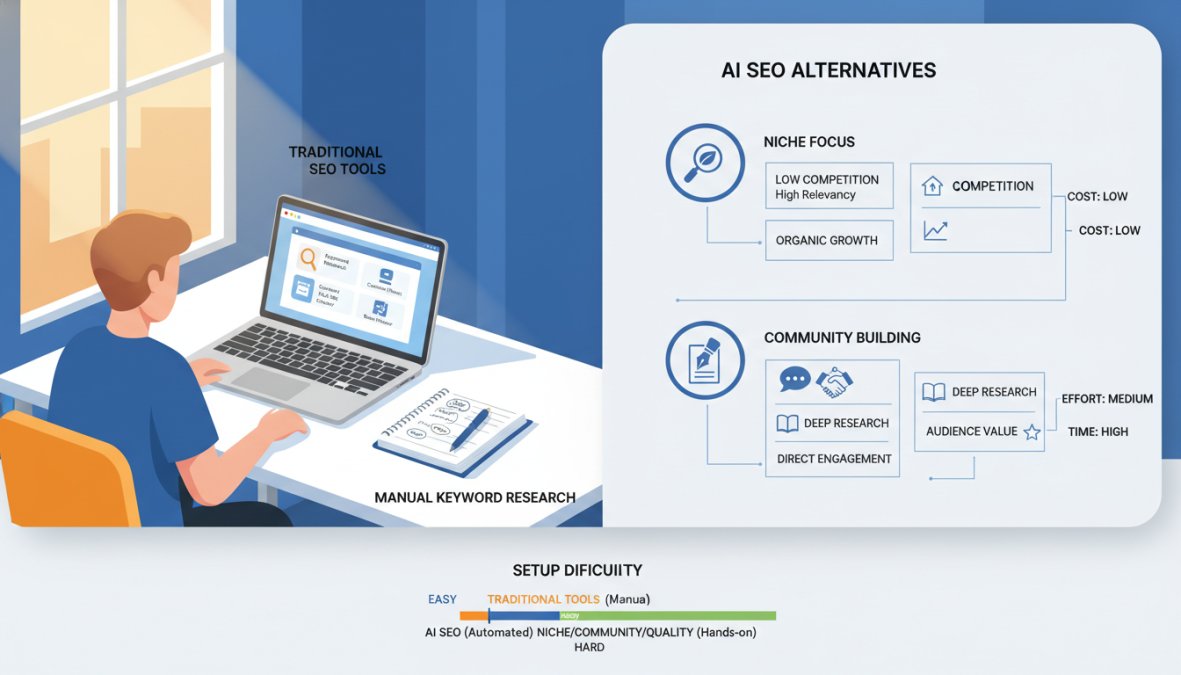
Alternatives to AI SEO for beginners fall into four functional categories: keyword research, on-page optimization, technical auditing, and link building. The table below maps the best beginner-friendly tools across each category.
| Tool | Category | Free Tier | Starting Paid Price | Best For |
|---|---|---|---|---|
| Google Keyword Planner | Keyword Research | Yes (free) | Free | Finding search volume data |
| AnswerThePublic | Search Intent | Limited searches | $9/month | Content ideation |
| Ubersuggest | All-in-One | Limited | $29/month | Beginners wanting one tool |
| Yoast SEO | On-Page | Yes | $99/year | WordPress users |
| Hemingway Editor | Readability | Yes (web) | $19.99 one-time | Improving content clarity |
| SEOptimer | Site Audit | Yes | $19/month | Fast beginner-friendly audits |
| Google Search Console | Technical SEO | Yes (free) | Free | Monitoring Google performance |
| Screaming Frog | Technical Crawl | Up to 500 URLs | ~$185/year | Finding broken links and errors |
What stands out here is that six of these eight tools have a completely free tier. The total cost to cover every major SEO function as a beginner can be zero.
Manual Keyword Research for Beginners: Free Tools That Deliver
Manual keyword research for beginners is not a compromise. It's a skill that paid tools later accelerate, not replace. The three tools below cover the full spectrum of what a new site needs: raw search volume data, question-based intent mapping, and competitive difficulty scoring.
Google Keyword Planner: Direct Data, Zero Cost
Google Keyword Planner is the most reliable free keyword research tool available because the data comes directly from Google's own advertising infrastructure. Search volume estimates, competition levels, and seasonal trends are all sourced from the same system that powers Google Ads.
The practical workflow for beginners: enter your core topic, filter results by average monthly searches above 100, and sort by competition level. Low-competition keywords with consistent monthly volume are your starting targets. The tool also surfaces related keyword clusters you wouldn't have thought to search for manually.
One honest limitation: volume ranges are displayed as brackets (1K-10K) rather than precise numbers unless you have an active Google Ads campaign. For most beginners, that's fine. The directional data is what matters at the start.
Best for: Founders and bloggers who want reliable, Google-sourced keyword data without paying for a third-party tool.
Pros: Free, direct from Google, excellent for trend analysis Cons: Designed for advertisers, volume precision requires an active campaign
AnswerThePublic: Finding Search Intent Without AI
Search intent is the variable most beginners underestimate. AnswerThePublic solves this by pulling autocomplete data from search engines and organizing it into question, preposition, and comparison clusters. Type in "home office setup" and you'll immediately see every variation of how people ask about that topic on Google, Bing, and YouTube.
The free plan limits daily searches, but for a beginner building their first content calendar, that's rarely a binding constraint. The visual wheel output is genuinely useful for spotting content gaps. The list view is better for exporting into a spreadsheet.
A common mistake is treating AnswerThePublic as a keyword volume tool. It isn't. Use it upstream in your workflow to understand what questions your audience is asking, then validate search volume in Google Keyword Planner.
Pros: Excellent for content ideation, visual and list formats, covers multiple platforms Cons: No volume data, limited free searches per day
Ubersuggest: A Beginner-Friendly All-in-One Option
Ubersuggest occupies a useful middle ground for beginners who want keyword research, site auditing, and backlink analysis in one interface without paying Ahrefs or Semrush prices. The free plan includes limited daily searches and a basic site audit, which is enough to get started.
The keyword difficulty scores are directionally useful, though data accuracy at the granular level doesn't match premium tools. For a site with under 10,000 monthly visitors, that difference rarely matters. What Ubersuggest does well is surface competitor keyword gaps, which helps beginners understand what content is already working in their niche.
Pros: Beginner-friendly interface, covers multiple SEO functions, free tier available Cons: Daily search limits on free plan, less accurate than Ahrefs or Semrush at scale
On-Page SEO Checklist Without AI: Tools to Optimize Every Page
On-page SEO without AI tools is entirely achievable. The three tools below cover readability, real-time WordPress guidance, and site-wide audit scoring. Used together, they form a complete on-page SEO checklist without AI that costs nothing to start.
Yoast SEO: Real-Time Guidance Inside WordPress
Yoast SEO is the standard starting point for WordPress users who want on-page guidance without a separate tool. The traffic light system (green, orange, red) gives immediate feedback on keyword usage, meta description length, internal linking, and readability. For beginners, that visual feedback loop is genuinely valuable.
The free version handles the fundamentals: focus keyword analysis, readability scoring, XML sitemaps, and schema markup for basic content types. The premium version adds redirect management and internal link suggestions, which become more useful as a site grows.
One thing most reviews miss: Yoast's readability analysis is powered by the Flesch Reading Ease formula, not NLP. That means it measures sentence length and syllable count, not semantic quality. Use it as a structural guide, not a content quality judge.
Pros: Fully integrated into WordPress, combines SEO and readability, free version is comprehensive Cons: WordPress-only, premium required for redirect management
Hemingway Editor: Readability That Supports Ranking
Readability directly affects SEO performance. Pages that are easier to read have lower bounce rates, higher time-on-page, and stronger engagement signals. Hemingway Editor identifies sentences that are hard or very hard to read, flags passive voice overuse, and suggests simpler word choices.
The web version is free and fully functional. The desktop app costs $19.99 as a one-time purchase. For most beginners, the web version is sufficient.
The real difference between Hemingway and other writing tools is that it forces you to write shorter, more direct sentences. That discipline produces content that's easier for both readers and search engines to parse.
Pros: Free web version, clear color-coded feedback, improves content structure Cons: Readability-focused only, can push toward overly simple writing if applied rigidly
SEOptimer: Fast Audits With Beginner-Friendly Scoring
SEOptimer audits a website across more than 100 data points and returns results in plain language with color-coded scoring. For a beginner who needs to understand why a page isn't ranking, SEOptimer's output is far more accessible than a raw Screaming Frog crawl.
The free tier covers basic audits. Paid plans start at $19/month and add white-label reporting and deeper GEO analysis. The tool also includes a Meta Tag Generator and XML Sitemap Generator, which are genuinely useful for beginners setting up a new site.
Pros: Beginner-friendly language, fast analysis, affordable paid tier Cons: Free version has depth limitations, can't make fixes directly within the tool
Technical SEO Basics for Beginners Without AI
Technical SEO basics for beginners without AI are more accessible than most guides suggest. Two tools cover the majority of what a new site needs: one from Google itself, and one desktop crawler that's free for sites under 500 pages.
Google Search Console: Your Free Technical SEO Foundation
Google Search Console is the single most important free tool in any beginner's SEO workflow. It provides direct data on how Google indexes and crawls your site, which search terms trigger your pages, and which technical issues need fixing. No third-party tool can replicate this because the data comes from Google's own systems.
The four reports beginners should check weekly: Coverage (indexing errors), Performance (clicks and impressions by query), Core Web Vitals (page experience signals), and Manual Actions (any penalties). According to Google Search Console Help documentation, the Coverage report alone identifies whether your pages are being indexed at all, which is the prerequisite for ranking.
Pros: Free, direct from Google, essential for diagnosing indexing and crawl issues Cons: No keyword research or competitor analysis features, requires basic SEO knowledge to interpret
Screaming Frog SEO Spider: Free Crawling for Smaller Sites
Screaming Frog crawls your website the way a search engine bot would, surfacing broken links, redirect chains, duplicate metadata, and missing title tags. The free version handles up to 500 URLs, which covers most new sites completely.
Setup takes about 15 minutes: download the application, enter your domain, run the crawl, and filter results by issue type. The most useful filters for beginners are "Response Codes" (find 404 errors), "Page Titles" (find missing or duplicate titles), and "Meta Description" (find missing descriptions).
The interface is dense, which puts some beginners off. The way to approach it: ignore everything except the four filters above on your first crawl. That alone will surface the most impactful technical fixes.
Pros: Comprehensive technical audit, free for sites under 500 URLs, actionable output Cons: Desktop installation required, interface has a learning curve
Link Building Strategies for Beginners Without AI
Link building strategies for beginners without AI come down to three approaches that have worked consistently regardless of algorithm updates: guest posting, resource page outreach, and digital PR.
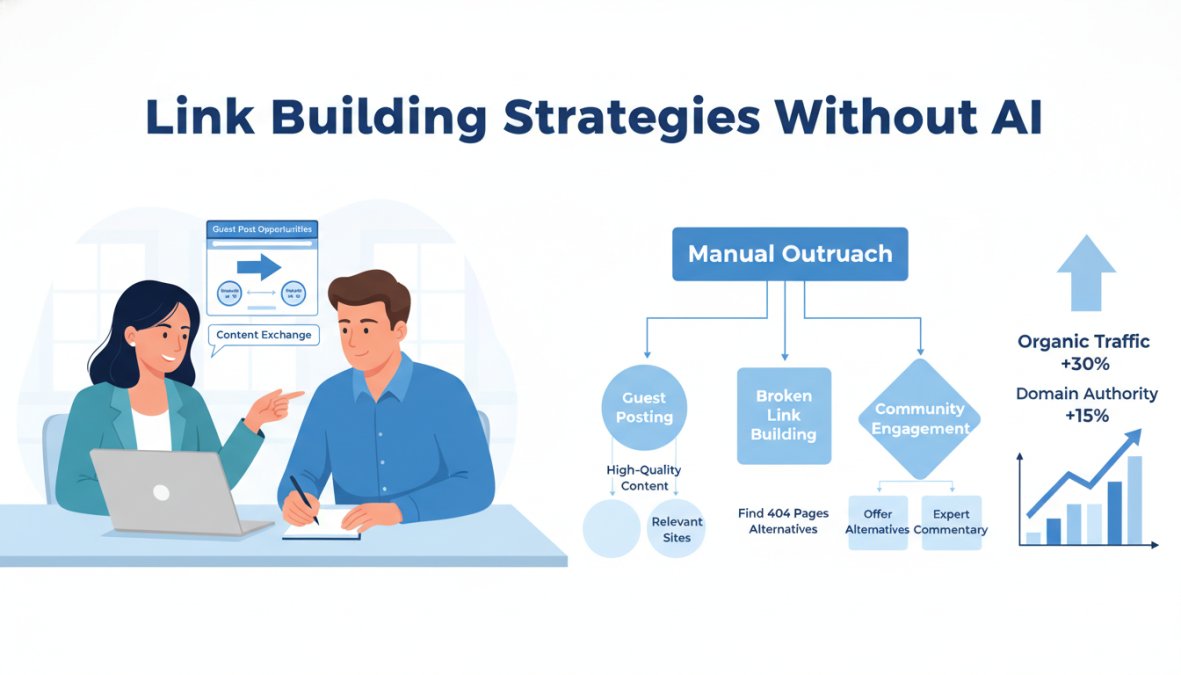
Guest posting is the most accessible entry point. Identify blogs in your niche that accept contributor posts, pitch a specific topic that fills a gap in their existing content, and include a contextual link back to a relevant page on your site. The key is relevance: a link from a topically related site carries more weight than a high-authority link from an unrelated domain.
Resource page outreach works by finding pages that list useful tools or articles in your niche (search: your topic + "useful resources" or your topic + inurl:resources) and emailing the site owner to suggest your content as an addition. Conversion rates are low, but the links earned are high-quality and editorially placed.
Digital PR means creating content that journalists and bloggers want to reference: original data, surveys, or unique perspectives on a trending topic. As documented in Moz's Beginner's Guide to Link Building, editorially earned links from news and industry publications have the strongest positive impact on domain authority.
A common mistake beginners make with link building is chasing volume over quality. Ten links from relevant, mid-authority sites will outperform 100 links from generic directories. Prioritize topical relevance and editorial context.
Link building without AI is slower. That's the honest trade-off. But the links you earn manually tend to be more durable and less likely to trigger algorithmic scrutiny than links built through automated outreach tools.
When AI SEO Actually Makes Sense for Beginners
This is the part most guides skip. AI SEO tools are not universally wrong for beginners. They become genuinely useful once a specific threshold is crossed: you understand what the tool is measuring, you have enough content published to see patterns in your data, and you're ready to scale.
The specific moment to add an AI SEO platform to your workflow is when manual keyword research and content planning become the bottleneck. If you're spending more time on research and briefing than on writing and publishing, automation earns its cost.
GrandRanker is built exactly for this transition point. The platform automates keyword research, content creation, optimization, and publishing, so founders can focus on their core business while the AI handles the SEO workflow. More than 421 founders are currently growing with GrandRanker, and the platform is designed to get your content cited by AI assistants like ChatGPT and Perplexity, which is increasingly where organic traffic originates in 2026.
The key distinction: use manual tools to learn, use AI tools to scale. Skipping the manual phase means you'll never know whether the AI is doing a good job. Building the foundation first means you can evaluate and direct the automation intelligently.
According to Search Engine Journal's guide to AEO and GEO for content marketers, Answer Engine Optimization (AEO) and Generative Engine Optimization (GEO) are now distinct disciplines from traditional SEO. Beginners who understand search intent and content structure from manual practice are better positioned to adapt their content for AI Overviews and Perplexity than those who relied entirely on AI-generated briefs from the start.
Conclusion
The best alternatives to AI SEO for beginners are not workarounds. They're the actual foundation that every competent SEO practitioner builds on, regardless of which tools they use later. Google Keyword Planner, AnswerThePublic, Yoast SEO, Google Search Console, and Screaming Frog together cover keyword research, content optimization, and technical auditing at zero or near-zero cost. Spend three to six months here before adding AI automation.
Building SEO manually teaches you what to optimize. Scaling it requires the right platform. GrandRanker automates keyword research, content creation, optimization, and publishing, so you can grow organic traffic without rebuilding your workflow from scratch. With AI-powered features that get your site cited by ChatGPT, Perplexity, and Google AI Overviews, it's built for the way search works in 2026. Start your free trial with GrandRanker and get your first AI-optimized content published this week.
Frequently Asked Questions
Can a beginner do SEO without AI tools?
Yes, absolutely. Many beginners successfully grow organic traffic using free tools like Google Search Console, Google Keyword Planner, Yoast SEO, and Screaming Frog. Manual keyword research, a solid on-page SEO checklist, and consistent link building strategies can drive meaningful results without relying on AI SEO platforms. The key is understanding search intent and applying foundational SEO principles consistently, which free and low-cost tools support very well.
What are some free SEO tools for beginners as alternatives to AI SEO?
Several free tools work well as alternatives to AI SEO for beginners. Google Search Console provides direct technical SEO data from Google at no cost. Google Keyword Planner helps with manual keyword research for beginners. Yoast SEO simplifies on-page optimization inside WordPress. AnswerThePublic surfaces question-based content ideas. Screaming Frog's free plan crawls up to 500 URLs for technical audits. Together, these cover keyword research, on-page SEO, and technical SEO basics without any subscription.
What are the limitations of AI SEO for beginners?
AI SEO tools can generate content quickly, but beginners risk producing low-quality or inaccurate content without enough SEO knowledge to review it critically. Over-reliance on automation can lead to keyword stuffing, poor search intent alignment, or content that fails to satisfy NLP-driven ranking signals. There are also cost barriers, platforms like Surfer SEO, Frase, Jasper, and Clearscope carry monthly fees that may not suit beginners. Building foundational SEO skills manually first leads to better long-term results.
How does traditional SEO differ from AI SEO?
Traditional SEO relies on manual processes: researching keywords by hand, writing and optimizing content yourself, auditing technical issues with tools like Screaming Frog, and building links through outreach. AI SEO uses automation and NLP to speed up keyword research, content generation, semantic optimization, and SERP analysis. Traditional SEO builds deeper understanding of ranking factors, while AI SEO accelerates content workflow. Beginners often benefit from learning traditional methods first before layering in AI-powered tools.
Is AI SEO necessary for beginners in 2026?
AI SEO is not necessary for beginners in 2026, but it can be helpful once you understand the basics. Tools like GrandRanker, Surfer SEO, and Frase automate keyword research, content optimization, and publishing, useful when you're scaling. However, starting with free alternatives like Google Search Console and Ubersuggest builds the foundational knowledge that makes any AI SEO tool more effective. Beginners who skip the fundamentals often struggle to evaluate whether AI-generated content actually meets search intent.
This article was written using GrandRanker