 listicle
Alternative to Paid SEO Audit Tools: 10 Best Options
Table of Contents
- Why Look for an Alternative to Paid SEO Audit Tools?
- Quick Comparison: Top Alternatives at a Glance
- How to Perform a Technical SEO Audit Without Paid Software
- The 10 Best Alternatives to Paid SEO Audit Tools
- 1. GrandRanker, AI-Powered Audits With Automated Action
- 2. Google Search Console, First-Party Data, Zero Cost
- 3. Screaming Frog SEO Spider, Industry-Standard Site Crawler
- 4. Ahrefs Webmaster Tools, Enterprise Depth for Free
- 5. Seobility, Best for SMB Owners Managing One Project
- 6. PageSpeed Insights, Core Web Vitals and UX Signals
- 7. SEOptimer, Fast Branded Reports for Digital Marketing Agencies
- 8. WooRank, Instant Site Audit Score for Quick Checks
- 9. Ubersuggest, Freemium SEO Suite for Beginners
- 10. Rank Math SEO Analyzer, WordPress-Native Audit Tool
- Free SEO Audit Checklist: What Every Tool Should Cover
- SEO Audit Template for Beginners: Choose Your Tool by Role
- Privacy, Data Security, and Workflow Integration Considerations
- How to Choose the Right Alternative Based on Your Situation
- Conclusion
Last Updated: June 10, 2026
Paying for a full SEO platform when you only need periodic audits is one of the most common budget mistakes founders make. GrandRanker has analyzed the real options available in 2026, and the results are more capable than most people expect. Free and freemium tools now cover technical health checks, crawl budget analysis, on-page optimization scoring, and backlink profile reviews. Below, we'll show you exactly which tools deliver enterprise-level insight without the enterprise price tag, how to run a complete technical SEO audit without spending a dollar, and how to choose the right option based on your specific role.
Here's what most guides get wrong: they treat "free" as a synonym for "limited." Some free tools give you first-party data straight from Google. Others crawl your site architecture, flag indexing issues, and score your core web vitals with the same depth as tools costing hundreds per month. The real question isn't whether free tools are good enough, it's which combination covers your specific audit needs.
Why Look for an Alternative to Paid SEO Audit Tools?
Most founders and SMB owners don't need a full SEO suite running 24/7. They need reliable audit results on a schedule that matches their publishing cadence, not a monthly SaaS bill that assumes daily use.
Paid platforms bundle rank tracking, competitor benchmarking, content optimization, automated reporting, and site crawling into a single dashboard, genuinely useful for agencies managing dozens of client domains. For a founder managing one site, paying for all of that to access the audit function is poor economics.
What Paid Tools Offer vs. What You Actually Need
Paid tools typically offer unlimited crawl depth, historical SERP data, white-label reports, keyword cannibalization detection, and project management integrations. These features matter at scale.
What most site owners actually need: a clear picture of technical health, a list of indexing issues, on-page optimization gaps, core web vitals scores, and a prioritized fix list. Every item on that second list is available through free or freemium tools in 2026.
The honest case for paying: if you're a digital marketing agency billing clients for SEO work, branded reports and multi-domain management earn their cost quickly. If you're a founder auditing your own site, you're almost certainly overpaying.
Quick Comparison: Top Alternatives at a Glance
| Tool | Price | Best For | Free Crawl Limit | Standout Feature |
|---|---|---|---|---|
| GrandRanker | Free trial + paid plans | Founders wanting AI-automated SEO | Full audit | AI-powered automation + AEO |
| Google Search Console | Free | All website owners | Unlimited (own site) | First-party Google data |
| Screaming Frog | Freemium | Technical SEO audits | 500 URLs | Deep site crawler |
| Ahrefs Webmaster Tools | Free | Backlink + technical audits | Own domain | 170+ issue checks |
| Seobility | Freemium | SMB single-project owners | 1,000 pages | All-in-one monitoring |
| PageSpeed Insights | Free | Core web vitals checks | 1 URL at a time | Google Lighthouse scoring |
| SEOptimer | Freemium | Agency branded reports | Basic audit | White-label reporting |
| WooRank | Freemium | Quick health checks | Basic audit | Instant 0-100 score |
| Ubersuggest | Freemium | Beginners, content + audit | Limited daily | Keyword + audit combo |
| Rank Math Analyzer | Free | WordPress site owners | Full (own site) | WordPress plugin integration |
How to Perform a Technical SEO Audit Without Paid Software
A complete technical SEO audit without paid software is achievable using three free tools in sequence: Google Search Console, Screaming Frog (free tier), and PageSpeed Insights. The process takes roughly two to three hours for a site under 500 pages.
Step 1: Check Technical Health and Indexing Issues
Start with Google Search Console. The Coverage report shows exactly which pages are indexed, which are excluded, and why. "Crawled - currently not indexed" entries often signal thin content or crawl budget issues. The URL Inspection tool lets you test individual pages for rendering problems, and the Core Web Vitals report provides field data on real user experience.
Don't ignore the Enhancements section. If you're using schema markup, GSC flags validation errors here that no third-party tool catches as accurately.
Step 2: Audit On-Page Optimization and Site Architecture
Run Screaming Frog against your domain (free up to 500 URLs). Filter for pages missing title tags, duplicate meta descriptions, broken internal links, and redirect chains. Export the data to a spreadsheet and sort by HTTP status code first, fix all 4xx errors before addressing optimization issues. Broken links waste crawl budget and damage UX signals.
Step 3: Evaluate Core Web Vitals and Site Speed
PageSpeed Insights gives you both lab data (controlled test) and field data (real Chrome user experience) for any URL. Run it on your homepage, your highest-traffic landing page, and your slowest-loading page. The tool uses Google Lighthouse under the hood, so scores directly reflect how Google evaluates page speed.
According to Google's Web.dev documentation on Core Web Vitals, pages meeting the Core Web Vitals thresholds provide a measurably better user experience, which Google factors into ranking decisions.
The 10 Best Alternatives to Paid SEO Audit Tools
The tools below are ranked by overall utility for founders, SMB owners, and non-agency users, evaluated on audit depth, ease of use, free tier generosity, and coverage of technical health checks that actually move rankings.

1. GrandRanker, AI-Powered Audits With Automated Action
GrandRanker is the strongest alternative for founders who want audit insights that automatically translate into action. Most audit tools identify problems and stop there. GrandRanker's AI-powered platform takes the next step: it automates keyword research, content creation, optimization, and publishing based on what the audit surfaces.
Where a traditional audit tool hands you a list of issues, GrandRanker's AI finds you first in search results by continuously optimizing your content and domain authority. It also covers Answer Engine Optimization (AEO), ensuring your site gets cited by AI assistants like ChatGPT and Claude, not just ranked in Google.
Pricing: Free trial available. See the GrandRanker pricing page for current plan details.
Best for: Founders and small teams who want audits connected to automated fixes, not just reports.
Pros:
- AI-powered SEO that acts on audit findings automatically
- Covers both Google rankings and AI assistant citations
- Content on Autopilot removes the bottleneck between audit and execution
- 421+ founders already growing with the platform
Cons:
- Overkill if you only need a one-time manual audit with no ongoing optimization
2. Google Search Console, First-Party Data, Zero Cost
Google Search Console is the non-negotiable baseline for any SEO audit. No third-party tool gives you more accurate data on how Google sees your site, because this data comes directly from Google.
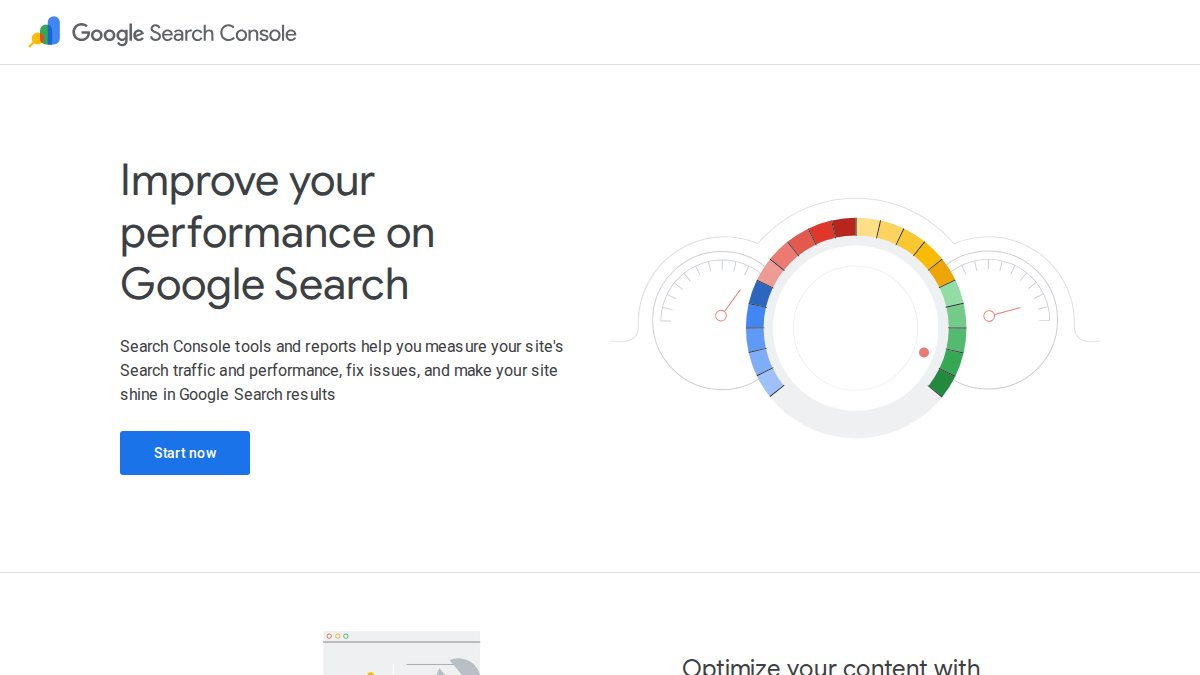
The Coverage report, Performance report, and Core Web Vitals report together cover the three most critical audit dimensions: indexing status, SERP performance by keyword and page, and user experience signals. The manual actions section alerts you to penalties that would suppress rankings regardless of how well-optimized your content is.
Pricing: Free.
Best for: Every website owner. This is not optional, it's the foundation.
Pros:
- Most accurate indexing and crawl data available
- Alerts for security issues and manual penalties
- Sitemaps submission and URL inspection built in
Cons:
- No competitor benchmarking
- Limited to verified properties you own
3. Screaming Frog SEO Spider, Industry-Standard Site Crawler
Screaming Frog is the tool technical SEO practitioners reach for first when they need to understand site architecture. The free version crawls up to 500 URLs and surfaces broken links, redirect chains, duplicate content, missing meta tags, and H1/H2 issues with granularity that most paid tools match but don't exceed.
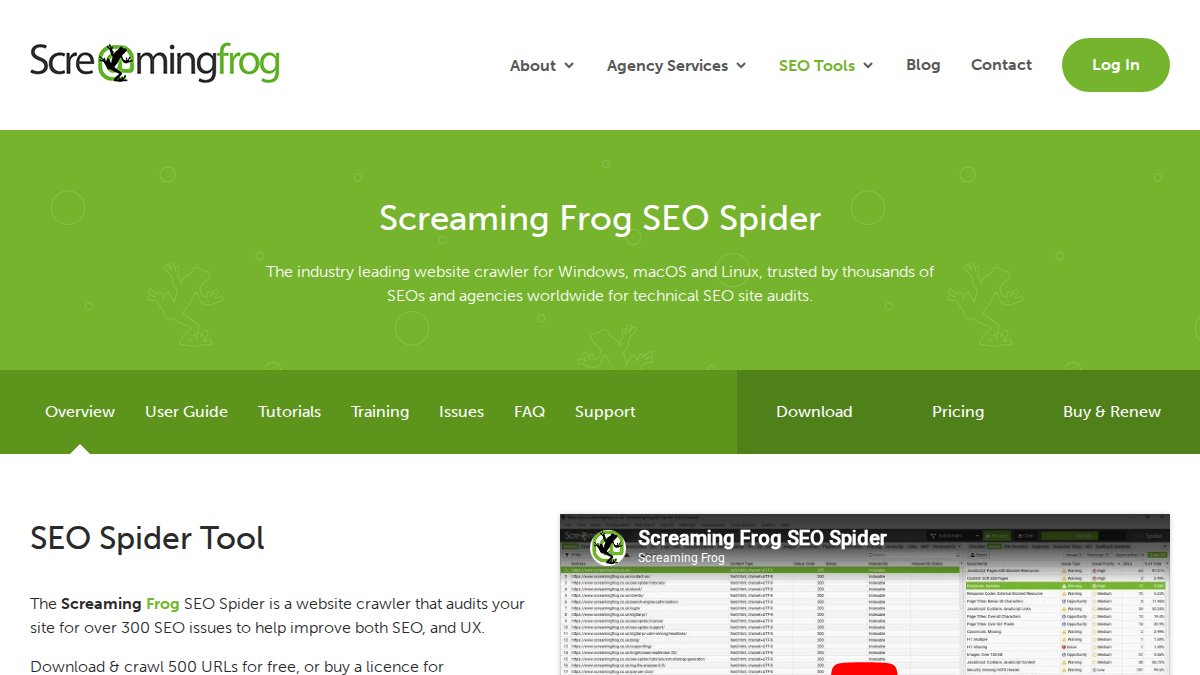
The internal linking visualization is particularly useful: you can see exactly which pages receive the most internal link equity and which orphaned pages are invisible to crawlers.
Pricing: Free up to 500 URLs. Paid license available for unlimited crawls.
Best for: Technical SEO audits on sites under 500 pages.
Pros:
- Highly granular data exports
- Industry-standard accuracy for on-page and technical issues
Cons:
- Free version hits its limit quickly on larger sites
- Desktop application requires installation
4. Ahrefs Webmaster Tools, Enterprise Depth for Free
Ahrefs Webmaster Tools (AWT) gives verified site owners access to the same audit engine that powers Ahrefs' paid platform. The site audit checks for 170+ technical and on-page SEO issues, tracks your health score over time, and provides actionable fix advice for each problem.
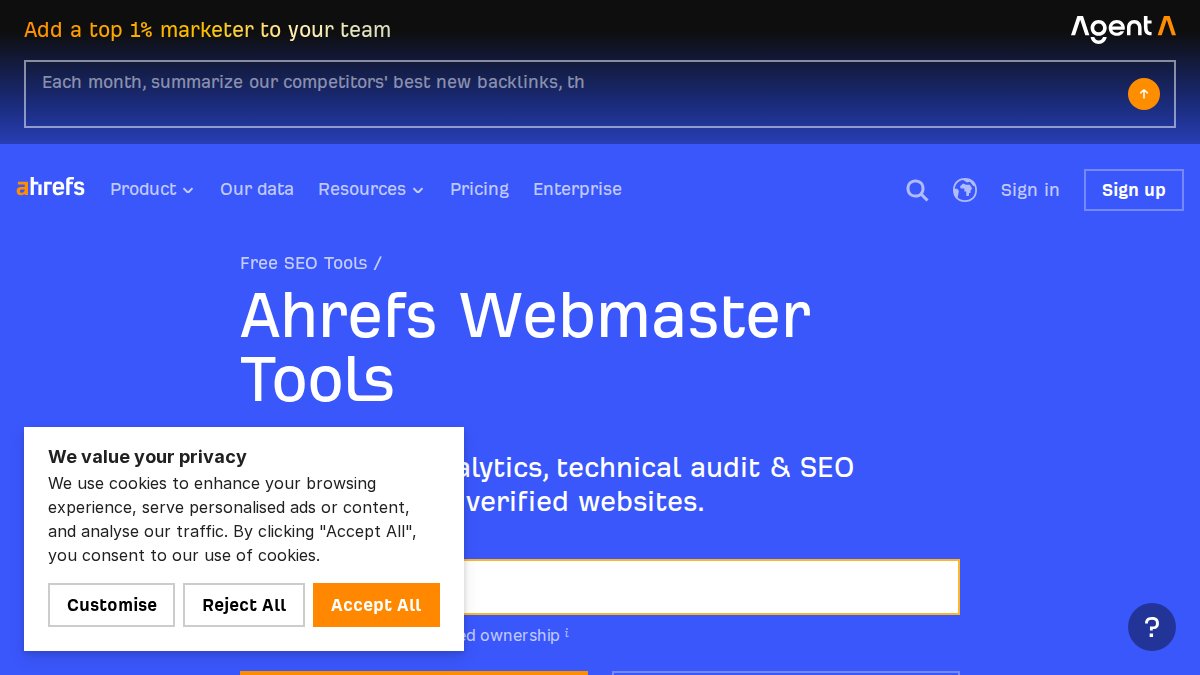
The backlink profile data separates AWT from every other free option: real backlink data, referring domain counts, and organic keyword rankings for your own domain, genuinely enterprise-level insight at zero cost, with the constraint that you can only audit verified domains.
Pricing: Free for verified site owners.
Best for: Site owners who want backlink analysis alongside technical audit data.
Pros:
- 170+ issue checks with fix instructions
- Backlink and keyword data not available in GSC
Cons:
- Requires domain verification
- Competitor analysis requires a paid Ahrefs subscription
5. Seobility, Best for SMB Owners Managing One Project
Seobility's free plan checks 300+ audit criteria across technical health, on-page optimization, and content quality. The interface presents findings as a prioritized task list, making it useful for non-SEO business owners who need to know what to fix first without interpreting raw crawl data.
The uptime monitoring feature is an underrated addition. Most audit tools are point-in-time snapshots; Seobility monitors your site continuously and alerts you when something breaks, more useful for SMBs than a quarterly manual audit.
Pricing: Free (1 project, 1,000 pages). Paid plans for multiple projects.
Best for: Small business owners and freelancers running a single site.
Pros:
- Clear, prioritized fix list for non-technical users
- Ongoing monitoring, not just one-time audits
Cons:
- Free plan restricted to one project
6. PageSpeed Insights, Core Web Vitals and UX Signals
PageSpeed Insights runs Google Lighthouse against any public URL and returns both lab data and real-world Chrome User Experience Report (CrUX) field data. The distinction matters: lab data shows what's theoretically possible; field data shows what real users actually experience.
The tool scores pages across Performance, Accessibility, Best Practices, and SEO. Each failing check includes a specific recommendation with estimated impact on load time, giving developers enough technical detail to act on immediately.
Pricing: Free.
Best for: Diagnosing page speed bottlenecks and core web vitals failures.
Pros:
- Direct insight into how Google evaluates page performance
- Specific, technical fix recommendations
Cons:
- Audits one URL at a time, not a full-site crawler
7. SEOptimer, Fast Branded Reports for Digital Marketing Agencies
SEOptimer runs a detailed audit across 100+ data points and presents results as a clean, scored report. The free version identifies major issues; the paid version adds white-label reporting, which is the primary reason agencies use it.
The AI-driven visibility tracking feature now covers GEO (Generative Engine Optimization) signals alongside traditional SEO factors, making it one of the few free-tier tools addressing AI search health directly.
Pricing: Free tier available. Paid plans for white-label and advanced features.
Best for: Agencies needing fast, client-ready branded reports.
Pros:
- Fast setup, no installation required
- Clear SEO score easy to explain to clients
Cons:
- Deep technical features require a paid plan
8. WooRank, Instant Site Audit Score for Quick Checks
WooRank generates an instant 0-100 SEO score for any URL and breaks it down across technical, on-page, and off-page factors. The free version allows unlimited quick audits, making it useful for competitive spot-checks when you want a fast read on a competitor's site health.
The checklist output is straightforward enough for non-SEO stakeholders to understand, making it practical for presenting SEO gaps to a leadership team or client without technical interpretation.
Pricing: Free for basic audits. Subscription required for full features.
Best for: Quick health checks and initial competitor analysis.
Pros:
- Unlimited free quick audits
- Intuitive for beginners
Cons:
- Advanced customization and deeper analysis require a subscription
9. Ubersuggest, Freemium SEO Suite for Beginners
Ubersuggest combines keyword research, site auditing, and backlink analysis in a single freemium platform. For beginners who need an all-in-one starting point rather than a specialized tool for each task, it significantly reduces the learning curve.
The Chrome extension adds on-the-fly SEO data while browsing, useful for quick competitive research. The free account includes enough daily searches and page crawls for occasional audits, though limits become restrictive with frequent use.
Pricing: Free plan available. Paid plans remove daily limits.
Best for: Beginners and small business owners wanting one tool for keyword research and auditing.
Pros:
- Beginner-friendly with educational resources built in
- Keyword research and audit in one interface
Cons:
- Strict daily limits on the free plan
10. Rank Math SEO Analyzer, WordPress-Native Audit Tool
Rank Math's free online analyzer checks technical and on-page factors and provides clear fix instructions for each issue. For WordPress users, the real value is the integration with the Rank Math plugin: audit findings connect directly to the plugin's optimization interface, so you can fix issues without leaving WordPress.
This is the most friction-free audit-to-fix workflow available for WordPress sites, with instructions written for non-technical users.
Pricing: Free.
Best for: WordPress site owners who want audit and optimization in one environment.
Pros:
- Excellent WordPress integration
- Clear, non-technical fix instructions
Cons:
- Limited utility for non-WordPress sites
Free SEO Audit Checklist: What Every Tool Should Cover
A free SEO audit checklist is a structured list of technical, on-page, and content checks that verify a site's search visibility health. Every tool in this list covers some subset of these items. The checklist below defines what a complete audit looks like, regardless of which tool you use.
Technical Health Checklist
- All key pages are indexed in Google (verify via GSC Coverage report)
- XML sitemap is submitted and error-free
- Robots.txt is not blocking critical pages
- No 4xx or 5xx errors on important URLs
- HTTPS is active across the entire site
- Redirect chains are three hops or fewer
- Crawl budget is not wasted on duplicate or low-value URLs
- Canonical tags are correctly implemented
- Core Web Vitals pass for both mobile and desktop
- Page speed scores above 70 on PageSpeed Insights (mobile)
- Schema markup is valid with no GSC Enhancements errors
- Internal linking connects all key pages within three clicks of the homepage
On-Page Optimization and Content Checklist
- Every page has a unique title tag under 60 characters
- Every page has a unique meta description under 160 characters
- H1 tag is present and unique on each page
- Target keyword appears in title, H1, and first paragraph
- No keyword cannibalization between closely related pages
- Thin content pages (under 300 words) are consolidated or expanded
- Images have descriptive alt text
- Content thin spots are identified and flagged for expansion
- Internal links use descriptive anchor text, not "click here"
- Local signals are present on location-relevant pages (address, city, region)
AI Search Health and AEO Checklist
Answer Engine Optimization (AEO) is the practice of structuring content so AI assistants can extract, cite, and surface it as a direct answer to user queries. This is distinct from traditional SEO and requires specific content structures.
- Key pages include clear "X is Y" definitional sentences AI can quote directly
- FAQ sections are present on high-intent pages with 40-100 word answers
- Structured data (FAQ schema, HowTo schema) is implemented on relevant pages
- Content answers specific questions directly in the first sentence after each heading
- Brand name appears consistently in content so AI systems can attribute citations correctly
- No important answers are buried below the fold or behind pagination
SEO Audit Template for Beginners: Choose Your Tool by Role
The right alternative to paid SEO audit tools depends less on feature lists and more on who's doing the audit and what they'll do with the results. This SEO audit template for beginners matches tool combinations to common roles.
If you are a founder or solo operator: Use Google Search Console as your baseline, Ahrefs Webmaster Tools for backlink and keyword data, and PageSpeed Insights for performance checks. Add GrandRanker for an AI-powered layer that turns audit findings into content and optimization actions automatically. This combination covers every audit dimension without a paid subscription.
If you are a developer: Screaming Frog is your primary tool. Export crawl data, filter by status code and issue type, and fix systematically. Supplement with PageSpeed Insights for performance diagnostics. GSC validates your fixes are reflected in Google's index.
If you are a content marketer: Seobility's prioritized task list translates technical audit findings into content-focused action items. Ubersuggest adds keyword research alongside the audit. Focus on content thin spots, keyword cannibalization, and on-page optimization gaps.
If you are a digital marketing agency: SEOptimer's white-label branded reports are the fastest path to client-ready deliverables. Combine with Ahrefs Webmaster Tools for clients who have verified their domains. For clients needing ongoing AI search health monitoring, GrandRanker's AEO features cover the gap that traditional audit tools miss entirely.
If you are a WordPress site owner: Rank Math SEO Analyzer plus the Rank Math plugin creates the most integrated audit-to-fix workflow available for WordPress, with no context-switching between tools and dashboards.
According to Google Search Central documentation on site audits, the most effective audits combine crawl data with real user performance data. No single free tool provides both, the combinations above are designed specifically to fill that gap.
Privacy, Data Security, and Workflow Integration Considerations
Privacy and data security are real considerations when choosing any SEO tool, and most comparison guides skip them entirely. This matters for teams handling client data or operating in regulated industries.

What Non-SEO Teams Need to Know Before Picking a Tool
Cloud-based SEO tools typically require you to connect your Google Search Console or Google Analytics account via OAuth, granting read access to your search performance data. For most tools, this is read-only and does not allow the tool to modify your site or data.
The risk is data retention policy. Some freemium tools store your crawl data indefinitely; others delete it after a set period on free plans. If you're auditing a client site, check the tool's privacy policy before connecting client credentials.
For teams in Ljubljana and across the EU, GDPR compliance is a practical requirement. Tools that store crawl data on EU-based servers or offer data processing agreements (DPAs) are preferable for agency use. Google's tools (GSC, PageSpeed Insights) comply with GDPR by default. For third-party tools, check their compliance documentation before connecting sensitive client accounts.
Workflow integration matters for non-SEO teams. A developer receiving a Screaming Frog CSV export needs a different handoff process than a content team that needs a prioritized task list in a project management tool. Before selecting a tool, map the audit output to who acts on it.
Tool Migration and Data Continuity When Switching
Switching SEO audit tools mid-project creates a data continuity problem. Historical crawl data, health scores, and issue tracking history don't transfer between platforms.
Before migrating, export everything: crawl reports, issue logs, health score history, and custom configurations, stored in a shared drive with clear date stamps. Run a baseline audit immediately in the new tool so you have a comparable starting point. The steepest migration costs come from tools where historical trend data is the primary value, such as Seobility's ongoing monitoring. For one-time audit tools like Screaming Frog or PageSpeed Insights, migration is trivial since each run is a fresh snapshot.
How to Choose the Right Alternative Based on Your Situation
Choosing the right alternative to paid SEO audit tools comes down to three questions: What type of issues are you auditing for? Who will act on the results? How often do you need to audit?
For one-time technical audits on sites under 500 pages, Screaming Frog's free tier plus Google Search Console covers everything. For ongoing monitoring without manual intervention, Seobility's free plan or GrandRanker's automated platform handles continuous health checks.
For founders who need audits connected to content and optimization execution, GrandRanker is the only tool in this list that closes the loop between finding a problem and fixing it automatically. Every other tool hands you a report; GrandRanker's AI acts on it.
For agencies, SEOptimer's white-label reporting and Ahrefs Webmaster Tools together cover client deliverables and technical depth without a paid SEO suite subscription.
The one scenario where paid tools genuinely earn their cost: managing more than five domains simultaneously with regular client-facing reporting requirements. At that volume, multi-domain management saves enough time to justify the cost. Below that threshold, the free alternatives in this list are objectively sufficient.
As documented in Ahrefs' guide to technical SEO audits, the most important outcome of any audit is a prioritized action list, not a comprehensive issue count. A tool that gives you 500 issues with no prioritization is less useful than one that gives you 20 issues ranked by impact.
For businesses near Ljubljana and across Slovenia, the same tools apply with one addition: verify that your Google Business Profile is connected to your site and that local signals (address, city, region) appear on relevant pages. None of the tools above audit Google Business Profile directly, but GSC's performance data will show whether local queries are driving traffic.
According to EXTERNAL_LINK: Moz's [Local SEO guide | moz.com], local search results increasingly surface businesses with consistent NAP (Name, Address, Phone) data across directories alongside strong technical health signals. Both dimensions need to be covered in any local audit.
Conclusion
The real challenge isn't finding a free alternative to paid SEO audit tools. It's turning audit findings into ranking improvements without burning hours on manual fixes. GrandRanker solves exactly that: its AI-powered platform automates keyword research, content creation, and optimization so audit insights become organic traffic growth, not just a to-do list. With Content on Autopilot and built-in AEO to get your site cited by AI assistants, GrandRanker handles the execution that other tools leave to you. Start your free trial with GrandRanker and turn your next SEO audit into measurable ranking gains.
Frequently Asked Questions
Are free SEO audit tools as good as paid ones?
For most foundational tasks, identifying indexing issues, checking core web vitals, auditing on-page optimization, and reviewing your backlink profile, free alternatives like Google Search Console, Screaming Frog, and Ahrefs Webmaster Tools deliver genuinely useful data. Where paid tools pull ahead is in automated reporting, competitor benchmarking, rank tracking at scale, and enterprise-level dashboards. For founders and SMBs, a combination of two or three free tools can replace a single paid SEO suite for most audit workflows.
What is the best free alternative to Ahrefs or Semrush?
Ahrefs Webmaster Tools (AWT) is the closest free alternative to paid Ahrefs, offering a site crawler, backlink profile data, and keyword rankings for verified domains. For technical health checks, Screaming Frog's free plan crawls up to 500 URLs. Google Search Console provides first-party SERP performance data no third-party tool can replicate. If you need an all-in-one freemium SEO suite, Seobility or Ubersuggest cover keyword research, site audits, and basic competitor analysis without a subscription.
Can I perform a professional SEO audit without paid software?
Yes. A professional technical SEO audit using free tools is entirely achievable. Use Google Search Console to surface indexing issues and crawl budget problems, Screaming Frog to crawl site architecture and detect keyword cannibalization or broken links, and PageSpeed Insights to assess core web vitals and site speed. For schema markup validation, use Google's Rich Results Test. Combining these free tools with a structured free SEO audit checklist covers the same ground as most entry-level paid platforms.
What are the limitations of free SEO audit tools?
Free alternatives to paid SEO audit tools typically have crawl limits (Screaming Frog caps at 500 URLs), restricted project counts (Seobility allows one free project), and no automated reporting or branded reports. Most freemium tools gate competitor benchmarking, advanced backlink analysis, and AI search health features behind paid plans. They also rarely integrate directly into team workflows or CMS platforms, which can create friction for non-SEO teams. For large sites or digital marketing agencies managing multiple clients, these limits become significant.
How do I audit my website for SEO for free using a template?
Start with a structured SEO audit template for beginners: (1) verify Google Search Console is set up and check for indexing issues; (2) run a Screaming Frog crawl to identify broken links, missing meta tags, and redirect chains; (3) use PageSpeed Insights to review core web vitals for mobile and desktop; (4) check your backlink profile in Ahrefs Webmaster Tools; (5) review on-page optimization, titles, H1s, schema markup, and content thin spots. Document findings in a spreadsheet and prioritize fixes by impact.
This article was written using GrandRanker